Smart Board Effectiveness: Classroom Impact & Assessment Guide
Executive Summary
The modern classroom is a theater of digital interaction, where the “front-of-room” display has evolved from a passive surface for inscription into a complex, networked computing node. This report provides an exhaustive analysis of the effectiveness of Interactive Whiteboards (IWBs) and Interactive Flat Panels (IFPs)—collectively referred to as “Smart Boards”—in educational settings ranging from K-12 to higher education and medical training. Synthesizing research data, technical specifications, and case studies from 2020 through 2026, the analysis reveals a technology at a crossroads. While the hardware capability has matured significantly, shifting from high-maintenance projection systems to robust 4K LED panels, the pedagogical return on investment remains highly variable.
Our findings indicate that the “effectiveness” of these devices is not an intrinsic property of the hardware but a dependent variable contingent upon three critical pillars: the pedagogical fluency of the instructor, the stability of the technical infrastructure, and the strategic alignment of the tool with specific learning objectives. Quantitative meta-analyses suggest a strong potential for academic gain—with effect sizes as high as d = 0.94 in optimized experimental settings—yet qualitative data from the field often tells a story of underutilization, where expensive interactive displays serve merely as high-definition projection screens. This report deconstructs these contradictions, offering a granular examination of the total cost of ownership (TCO), the cognitive mechanisms of interactive learning, and the frameworks necessary to measure true impact beyond simple usage statistics.
The Technological and Educational Context
To assess the effectiveness of Smart Boards, one must first situate them within the broader evolutionary arc of educational technology. The transition from analog to digital displays represents more than a hardware upgrade; it signifies a fundamental shift in the architecture of instruction, moving from static information transmission to dynamic, multimodal interaction.
From Resistive Touch to Capacitive Glass: The Hardware Evolution
The term “Smart Board,” while often used generically, masks a significant technological divergence between legacy systems and modern implementations. The early generations of this technology, dominant from the late 1990s through the early 2010s, were true “Interactive Whiteboards” (IWBs)—peripheral devices consisting of a touch-sensitive surface connected to a computer and a front-mounted projector. These systems relied on resistive touch technology, which required physical pressure to register input, or infrared grids that could be easily disrupted by dust or ambient light. The primary limitations of this era were the “shadow effect,” where the user’s body blocked the projection, and the incessant need for calibration, a technical friction that frequently eroded instructional time.
The contemporary standard, however, is the Interactive Flat Panel (IFP). These devices are essentially massive, hardened LED televisions with integrated computing power. Unlike their projector-based predecessors, IFPs operate with 4K resolution, offer high brightness (measured in nits) that combats ambient classroom light, and utilize bonded capacitive or advanced infrared touch technologies that support 20 to 40 simultaneous touch points. This hardware shift is critical to the effectiveness conversation because it removes the “barrier to entry” for the user. The modern IFP does not require a darkened room, does not cast shadows, and does not drift out of calibration. It effectively mimics the user experience of a consumer tablet, reducing the cognitive load required to operate the tool and theoretically freeing up mental bandwidth for teaching and learning.
The Post-Pandemic Landscape: Urgency and Investment
The assessment of these tools in the mid-2020s occurs in the shadow of the COVID-19 pandemic, an event that acted as a massive accelerant for educational technology adoption. Federal initiatives, most notably the Elementary and Secondary School Emergency Relief (ESSER) funds in the United States, injected billions of dollars into school districts, much of which was allocated to infrastructure upgrades, including the replacement of aging projectors with IFPs.
However, this procurement spree has created a “utilization crisis.” As the emergency funding expires—a phenomenon known as the “ESSER cliff”—districts are under immense pressure to justify the recurring costs and future replacement cycles of this hardware. The data on learning loss provides a grim backdrop: as of the end of the 2024–2025 school year, approximately 31% of public school students remained behind grade level, with significant deficits in mathematics and reading. The central question for administrators has thus shifted from “Do we have the technology?” to “Is this technology accelerating learning recovery?” The effectiveness of the Smart Board is no longer measured by its presence, but by its ability to act as a lever for remediation, specifically in closing the achievement gaps exacerbated by the pandemic.
The Pedagogy of Interactivity: Student Outcomes
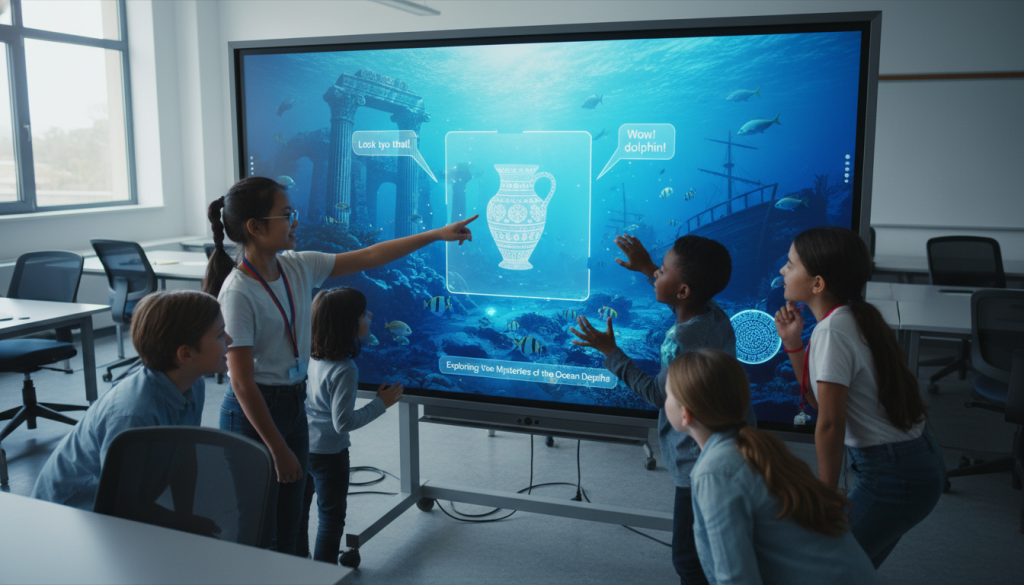
The primary justification for the significant capital expenditure on interactive displays is the enhancement of student learning outcomes. The research literature from 2020–2026 presents a nuanced picture: the “wow factor” of the technology has diminished, but in its place, a body of evidence has emerged linking specific interactive affordances to gains in cognitive engagement and academic achievement.
Quantitative Analysis of Academic Achievement
When analyzing test scores and academic performance, the data suggests that interactive displays can have a profound positive impact when aligned with active learning strategies. A comprehensive meta-analysis examining 47 experimental studies found that the use of Interactive Flat Panels had a positive, large, and statistically significant effect on academic achievement, with an effect size of d = 0.94 (p <.05). To put this in perspective, an effect size of 0.40 is typically considered the “hinge point” for effective educational interventions; a score of 0.94 implies that the average student in the interactive classroom performed better than 82% of students in the control classroom.
However, this aggregate figure masks significant variability across subject areas and instructional styles. The data indicates that the “interactive advantage” is most pronounced in domains requiring visual-spatial reasoning and dynamic modeling.
- Mathematics: In geometry and algebra, the ability to manipulate shapes, rotate 3D solids, and dynamically alter variables in graphing software allows students to visualize abstract concepts. Research comparing students learning geometry with IFPs versus traditional methods found significantly higher achievement scores for the IFP group. The board acts as a cognitive offloading device, holding the visual representation of the problem while the student processes the logical steps.
- Science: Similarly, in science education, the capacity to simulate phenomena—such as virtual dissections or chemical reactions—that would be dangerous, costly, or invisible in a physical lab drives high engagement and retention. A study of college chemistry students utilizing IFPs for six lessons showed statistically significant improvements on post-tests compared to control groups.
Cognitive Engagement vs. Behavioral Compliance
A critical distinction in the assessment of Smart Board effectiveness is the difference between behavioral engagement (e.g., looking at the board, waiting for a turn) and cognitive engagement (e.g., analyzing, synthesizing, and problem-solving). Early literature often conflated the novelty effect—students staring at the glowing screen—with genuine learning. However, as the novelty has worn off, researchers have focused on how the tool supports “Active Learning.”
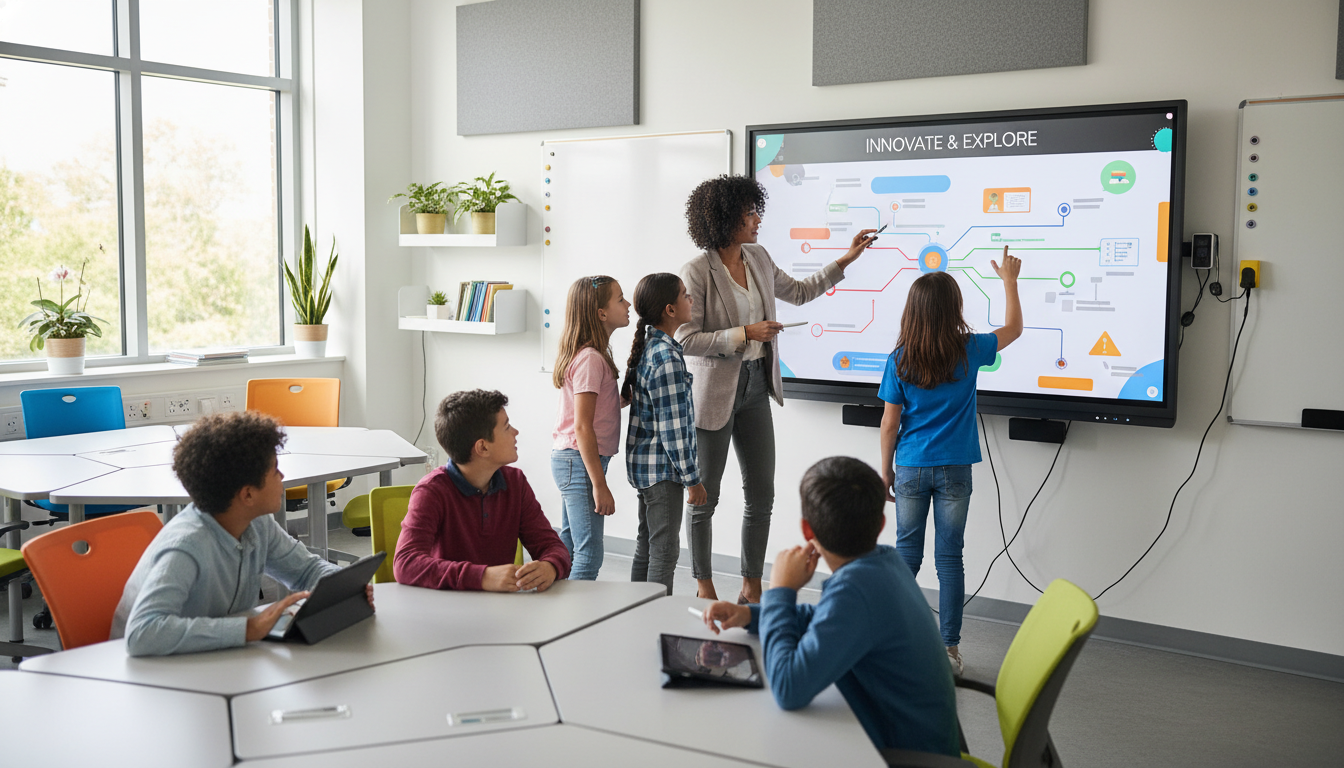
In higher education contexts, the shift from the “Sage on the Stage” to the “Guide on the Side” is facilitated by the interactive display. When used in Active Learning Classrooms (ALCs), where students work in pods with shared screens, failure rates have been shown to drop by as much as 50%, and pass rates in challenging courses like mathematics have jumped from 63% to 81%. The mechanism here is “participatory elaboration”: the board becomes a shared workspace where students must externalize their thinking. Unlike a notebook, which is private, the board is public; writing on it forces the student to commit to an idea, which can then be critiqued, refined, and expanded upon by peers.
Conversely, when the board is used merely as a broadcast device for slide decks, it can actually induce passivity. The high-fidelity visuals may create an illusion of competence—students feel they understand because the presentation is clear—but without the struggle of interaction, retention is lower. This phenomenon, sometimes called the “fluency illusion,” highlights that the mode of use is more predictive of success than the presence of the tool.

Equity, Accessibility, and the Digital Divide
Interactive displays offer unique affordances for inclusivity, acting as a bridge for students with diverse learning needs.
- Special Education: For students with motor impairments who may struggle with a mouse or keyboard, the large touch surface of an IFP allows for gross motor interaction. Features such as text-to-speech, high-contrast modes, and the ability to record lessons for later review are vital accommodations that are native to modern panels.
- English Language Learners (ELL): The multimodal nature of the Smart Board is particularly effective for language acquisition.
The ability to simultaneously display a word, play its pronunciation, and show an associated image creates a “dual coding” effect that significantly improves vocabulary retention. Research by Omar S. López indicated that IWB technology specifically improved the academic success of ELL students in reading and mathematics by providing this immediate, rich contextualization.
However, the “Digital Divide” manifests not just in access to hardware, but in the ecosystem surrounding it. In wealthy districts, the Smart Board is part of a 1:1 computing environment where students can “cast” their work from personal tablets to the main screen. In under-resourced schools, the Smart Board may be the only computer in the room. In such scenarios, the interactivity is bottlenecked at the front of the room, often reverting the pedagogy to teacher-centered instruction due to logistical constraints. This disparity suggests that the board’s effectiveness acts as a multiplier: it amplifies the resources already present, rather than compensating for their absence.
The Human Element: Teacher Efficacy and Professional Development
The effectiveness of any educational technology is inextricably linked to the efficacy of the instructor wielding it. The Smart Board is an amplifier of pedagogical intent; it can make a dynamic lesson immersive, or it can make a boring lecture vividly, brightly tedious. The data consistently points to “teacher fluency” as the single most significant variable in the effectiveness equation.
The TPACK Framework Application
To understand teacher efficacy, researchers employ the Technological Pedagogical Content Knowledge (TPACK) framework. Successful Smart Board integration requires the intersection of three knowledge domains:
- Technological Knowledge (TK): Knowing how to operate the board, troubleshoot connectivity, and navigate the interface.
- Pedagogical Knowledge (PK): Understanding how students learn and how to manage a classroom.
- Content Knowledge (CK): Deep understanding of the subject matter.
The “sweet spot” is where these overlap. For example, a math teacher (CK) who knows that students struggle with the concept of slope (PK) might use the Smart Board’s dynamic graphing tool (TK) to allow students to physically drag a line and watch the slope equation change in real-time. This is “TPACK-in-action.”
However, surveys indicate that while many teachers possess high CK and PK, their TK regarding interactive displays is often superficial. A study of 214 early-career teachers revealed that 56% lacked confidence in using educational technology effectively. Without this confidence, teachers retreat to the “safe zone” of using the board as a glorified projector. They may display a static PDF of a worksheet rather than using the interactive manipulative tools, a practice that utilizes perhaps 5% of the device’s capability while costing 100% of the price.
The Crisis of Professional Development
The root cause of this underutilization is a systemic failure in Professional Development (PD) models. The prevailing model for Smart Board training is the “deployment day workshop”—a one-time, vendor-led session that occurs when the hardware is installed. Research confirms that this model is wholly inadequate for changing pedagogical practice.
- The “One-and-Done” Fallacy: Effective PD requires sustained, ongoing mentorship. A systematic review of teacher professional development programs (2020–2024) found that effective programs share characteristics such as collaborative learning environments, ongoing mentorship, and institutional support.
- The Digital Immigrant/Native Divide: There is a persistent narrative regarding “digital natives” (younger teachers) versus “digital immigrants” (older teachers). However, the data suggests that age is less of a predictor than “self-efficacy.” Younger teachers may be comfortable with social media but not with instructional design on a large format display. Conversely, experienced teachers may struggle with the interface but have deep pedagogical reserves. PD must address these specific needs, yet often provides a “one-size-fits-all” approach.
Districts that implement “Tech Coach” models, where a dedicated peer acts as a mentor for technology integration, see significantly higher utilization rates and deeper integration. The return on investment (ROI) for the hardware is thus directly dependent on the investment in the “humanware”.
Teacher Satisfaction, Stress, and Burnout
In the high-stress environment of post-pandemic education, technology can be either a burden or a boon.
- The Stress of Unreliability: Technical glitches—calibration drift, connectivity failures, software crashes—are a major source of teacher stress. When a board fails mid-lesson, the teacher loses instructional momentum and classroom management can falter. This “technostress” leads to avoidance behaviors, where teachers purposefully bypass the technology to avoid potential embarrassment or disruption.
- Efficiency and Organization: Conversely, when the system works, satisfaction is high. Teachers appreciate the ability to save “board notes” to the cloud, allowing absent students to access the exact lesson content they missed. The “infinite canvas” of digital whiteboard software allows for nonlinear thinking that a physical chalkboard cannot support. Teachers report that IFPs make classrooms “more visible” and “organized,” contributing to a sense of professional competence.
The takeaway is that reliability is the prerequisite for satisfaction. A board that works 90% of the time is often perceived as “broken” because the 10% failure rate carries such a high social cost in front of a class of students.
Hardware Architecture and Technical Management
The operational reality of managing a fleet of interactive displays is a complex IT challenge involving lifecycle management, cybersecurity, and infrastructure standardization. The shift from projectors to panels has solved some problems while creating others.
The Great Migration: Projectors (IWB) vs. Flat Panels (IFP)
The market has decisively shifted toward Interactive Flat Panels, driven by a Total Cost of Ownership (TCO) calculation that favors longevity and reduced maintenance.
The Legacy Projector Burden
Projector-based systems (IWBs) are essentially analog-digital hybrids. They rely on a projector (often wall or ceiling mounted) blasting an image onto a touch-sensitive board.
- Consumables: The primary drawback is the projector bulb, which dims over time and typically requires replacement every 2,000 to 4,000 hours. A single bulb can cost between $150 and $300, creating a significant recurring operational expense.
- Maintenance: Filters must be cleaned to prevent overheating. Furthermore, the alignment between the projected image and the touch sensors (calibration) drifts, necessitating frequent re-calibration rituals that disrupt class start times.
- Environmental Impact: High-intensity discharge lamps contain mercury and consume significant power (300W+), creating disposal and energy efficiency issues.
The Flat Panel Advantage
IFPs, by contrast, are solid-state devices.
- Longevity: Rated for approximately 50,000 hours of use, an IFP can theoretically last 10–15 years in a typical school environment without significant degradation in brightness.
- Visual Performance: With 4K resolution and high contrast ratios, IFPs remain visible even in sunlit rooms, resolving the “washout” issues of projectors.
- Architecture: However, they are heavy (often 100+ lbs) and require robust mounting solutions. Unlike projectors, which could be mounted on drywall with toggles, IFPs often require backing reinforcement or specialized mobile carts.
Cybersecurity and Mobile Device Management
As IFPs are essentially large computers (usually running an Android-based OS) connected to the school network, they represent a significant, often overlooked, attack surface.
- The “Shadow IT” Risk: If not properly managed, teachers or students might sideload unvetted applications onto the boards, introducing malware or spyware. The open nature of the Android ecosystem on many budget boards makes this a tangible risk.
- MDM Solutions: Effective management requires a Mobile Device Management platform. This allows IT administrators to remotely push firmware updates, install approved apps, and “lock down” the device settings. Without an MDM, updating a fleet of 500 boards requires a technician to physically visit every classroom with a USB drive—an unsustainable labor cost.
- Data Privacy: The integration of cloud services (Google Drive, OneDrive) means that the board often has access to sensitive student data and teacher credentials. Schools must ensure that the board’s OS does not cache credentials in a way that the next user (or a hacker) could access. This compliance with regulations like FERPA and CIPA is a major component of the technical vetting process.
University AV Standards: A Comparative Analysis
In higher education, the standardization of AV equipment is critical for faculty who may teach in five different buildings in a single week. A review of standards from institutions like Brown University, the University of Connecticut, and the University of Melbourne reveals a convergence on specific specifications to ensure uniformity.
- User Interface: Standards mandate consistent control interfaces (e.g., Crestron or Extron touch panels) so that “turning on the room” is the same process everywhere.
- Sightlines: Standards strictly dictate screen size based on room depth.
For example, the “1/6 rule” (screen height should be 1/6th the distance to the furthest viewer) often precludes the use of standard 75″ IFPs in large lecture halls, forcing a reliance on projection or massive LED walls.
- Connectivity: The move to USB-C as a single-cable solution (carrying video, touch data, and power) is becoming a standard requirement, reducing the “dongle hell” that plagues faculty.
Economic Analysis: Total Cost of Ownership (TCO)
The economic effectiveness of Smart Boards is a function of their Total Cost of Ownership (TCO) relative to their instructional value. The initial purchase price is merely the “tip of the iceberg.”
CapEx vs. OpEx Modeling
A comparative analysis of TCO over a 5-year period reveals that while IFPs have a higher Capital Expenditure (CapEx), their Operational Expenditure (OpEx) is significantly lower than projector-based systems.
| Cost Category | Projector-Based IWB (5 Years) | Interactive Flat Panel (5 Years) |
|---|---|---|
| Hardware Purchase | $1,200 (Board + Projector) | $2,500 – $4,000 |
| Installation | $500 (Cabling + Mounts) | $400 (Wall Mount) |
| Bulb Replacements | $1,200 (4 bulbs @ $300) | $0 |
| Filter Cleaning/Labor | $500 (Annual maintenance) | $0 |
| Energy Consumption | ~350 Watts/hr | ~150-200 Watts/hr |
| Lifespan | ~5 Years (Hardware/Bulb cycle) | ~10 Years (50,000 hours) |
| Est. 5-Year Total | ~$3,400 + Energy + High Labor | ~$3,000 – $4,500 + Low Labor |
The “break-even” point for IFPs often occurs around year 4 or 5. However, the quality of the experience differs drastically; by year 4, the projector is dim and likely noisy, while the IFP remains crisp.
The Opportunity Cost Debate: Devices vs. Displays
A contentious economic question is the opportunity cost. For the price of a single $3,500 IFP, a district could purchase approximately 10 to 12 Chromebooks (at ~$300/unit). Critics argue that “1:1” computing (one device per student) yields higher engagement than “1:Many” (one board for the class).
- The Argument for Devices: Chromebooks allow for personalized, self-paced learning. They facilitate the “flipped classroom” model where instruction happens individually.
- The Argument for Displays: The IFP serves as the “campfire” around which the class gathers. Without a central focal point, the 1:1 classroom can become atomized, with students isolated in their own screens. The IFP bridges the gap, allowing for the synthesis of individual work into a group discussion. The economic justification for the IFP is thus its role as a collaboration hub, not just a display.
Funding Sustainability and the “ESSER Cliff”
The massive influx of ESSER funds allowed districts to buy hardware at an unprecedented rate. As these funds expire, districts face a sustainability challenge. Unlike textbooks, which can be used for a decade, tech hardware has a finite life. Districts must now budget for “tech refresh” cycles out of their general operating funds, potentially squeezing budgets for personnel or other resources. Reports indicate that some districts are already facing budget crises as they attempt to maintain the digital ecosystems built during the pandemic.
Frameworks for Measurement and Evaluation
How does a district know if its multi-million dollar investment is effective? Relying on anecdotal evidence (“The kids love it!”) is insufficient. Rigorous evaluation requires a triangulation of quantitative usage data, qualitative observation, and structured rubrics.
Quantitative Usage Analytics
Modern IFPs and their associated computing modules (OPS) allow for granular tracking of usage statistics via MDM platforms.
- Touch vs. Time: It is critical to distinguish between “Power On Hours” and “Interaction Time.” A board that is on for 6 hours but receives zero touches is being used as a TV. Analytics can track the number of touch points per hour, the specific applications opened, and the source inputs used (e.g., HDMI 1 vs. Internal PC).
- App Utilization: Monitoring which apps are used provides pedagogical insight. High usage of the native “Whiteboard” app suggests interactive instruction. High usage of the web browser for YouTube suggests passive media consumption.
Observational Protocols (TDOP and COPUS)
To capture the quality of interaction, researchers use standardized observational protocols.
- TDOP (Teaching Dimensions Observation Protocol): This robust instrument codes classroom activity in 2-minute intervals. Observers note the instructional method (e.g., “Lecturing with Technology,” “Small Group Work,” “Student Response”). By aggregating this data, administrators can visualize a “timeline” of the lesson. An effective Smart Board lesson typically shows a high frequency of codes like SGW (Small Group Work) and PI (Peer Interaction) interspersed with DW (Digital Work), rather than a solid block of L (Lecture).
- COPUS (Classroom Observation Protocol for Undergraduate STEM): Similar to TDOP, COPUS is designed to characterize how faculty and students spend their time. It specifically helps identify if the “interactive” technology is actually fostering “active” learning or merely “enhanced” lecturing.
Rubrics and Pilot Evaluation
For districts conducting pilot programs, structured rubrics are essential for vendor selection and teacher evaluation.
- The MDE Digital Tool Rubric: The Mississippi Department of Education provides a framework evaluating tools on “Ease of Use,” “Navigation,” and “Instructional Impact.” A key criterion is whether the tool “offers a flexible, user-friendly design that teachers and students can quickly learn how to use”.
- ISTE-Based Rubrics: Rubrics derived from the ISTE Standards evaluate not just the tool, but the user. They assess whether the teacher is using the technology to “Model Digital Citizenship,” “Foster Collaboration,” or “Design Authentic Learning Activities.” This shifts the focus from the hardware to the instructional practice.
Sector-Specific Case Studies
Effectiveness varies significantly by the educational context. What works in a Kindergarten classroom may fail in a University Lecture Hall.
K-12 Education: The Engagement Engine
In K-12, the physical nature of the board aligns with the developmental needs of younger students.
- Case Study: Fayette County Public Schools: This district successfully utilized interactive displays to establish an esports program and STEM initiatives. By using the displays as the focal point for competitive gaming and collaborative problem solving, they leveraged the hardware to increase student engagement and attendance.
- Case Study: Massachusetts Districts: The Groton-Dunstable Regional School District’s transition from projectors to “TouchView” panels highlights the lifecycle replacement strategy. They justified the capital expenditure not just on image quality, but on the “reliability and longevity” of the panels compared to aging projectors, framing it as a long-term infrastructure investment similar to upgrading a boiler or roof.
Higher Education: The Scale Problem
In higher education, the “Lecture Hall” presents a unique challenge.
- The Visibility Issue: In a hall with 300 students, a 75″ or even 86″ IFP is too small to be seen from the back rows. Consequently, universities often rely on massive dual-projection screens. The “interactivity” is thus often limited to the instructor’s podium (using a smaller touch monitor) rather than the large display itself.
- Active Learning Classrooms (ALC): Success is found in decentralized models. Case studies from universities implementing ALCs show that when the room is broken into “pods,” each with its own medium-sized IFP, student engagement skyrockets. The instructor acts as a facilitator, pushing content to the pods. This model has been shown to improve conceptual understanding in complex fields like engineering and physics.
Medical and Specialized Training
In medical education, the high resolution and interactivity of modern panels are critical for visualizing anatomy.
- Patient Care: Beyond education, “Digital Whiteboards” in patient rooms are transforming care delivery. Studies at Brigham and Women’s Hospital show that replacing dry-erase boards with digital displays (integrated with Electronic Health Records) significantly improved patient satisfaction. Patients felt more informed about their care team and daily schedule, reducing anxiety. The “effectiveness” here is measured in patient experience scores (HCAHPS) rather than test scores.
Future Trajectories and Strategic Recommendations
The “Smart Board” is rapidly evolving into an “Intelligent Hub.” The integration of Artificial Intelligence (AI) and Augmented Reality (AR) will define the next generation of these tools.
The AI Convergence
Future displays will not just show information; they will analyze it.
- Intelligent Tutoring: AI integrated into the board software could analyze a student’s handwriting as they solve a math problem on the screen, offering real-time hints or identifying misconceptions.
- Automated Transcription and Summarization: The board could automatically transcribe the lesson, generate a summary, and distribute it to students’ devices, freeing them from the need to take rote notes and allowing them to focus on discussion.
Strategic Recommendations for Stakeholders
Based on the exhaustive analysis of the data, we offer the following recommendations:
For School Administrators:
- Budget for “Humanware”: Do not approve a hardware purchase without an accompanying budget for professional development. A ratio of 15% of the hardware cost should be allocated to training.
- Mandate Lifecycle Planning: Establish a clear “refresh cycle” and identify the funding source for replacement in 7-10 years.
Avoid using one-time grants (like ESSER) for ongoing operational costs without a sustainability plan.
For IT Directors:
- Prioritize Security: Treat IFPs as untrusted endpoints. Segment them on a separate VLAN and enforce strict MDM policies to prevent unauthorized app installation.
- Standardize Interface: To reduce teacher friction, standardize the user interface across the district. A teacher moving from Room A to Room B should not have to relearn how to turn on the screen.
For Educators:
- Start Small: Avoid the “Swiss Army Knife” syndrome. Master one interactive workflow (e.g., using the casting feature for student work) before attempting to overhaul your entire pedagogy.
- Focus on Student Interaction: The most effective use of the board is when the teacher is not touching it. Design lessons that require students to physically manipulate content on the screen.
In conclusion, the “Smart Board” is neither a panacea nor a gimmick. It is a powerful amplifier of instructional culture. In a classroom where inquiry, collaboration, and active learning are valued, it provides the digital canvas to make those abstract ideals visible and tangible. In a classroom defined by passive transmission, it merely illuminates the lecture in 4K resolution. The effectiveness lies not in the glass, but in the hand that touches it.