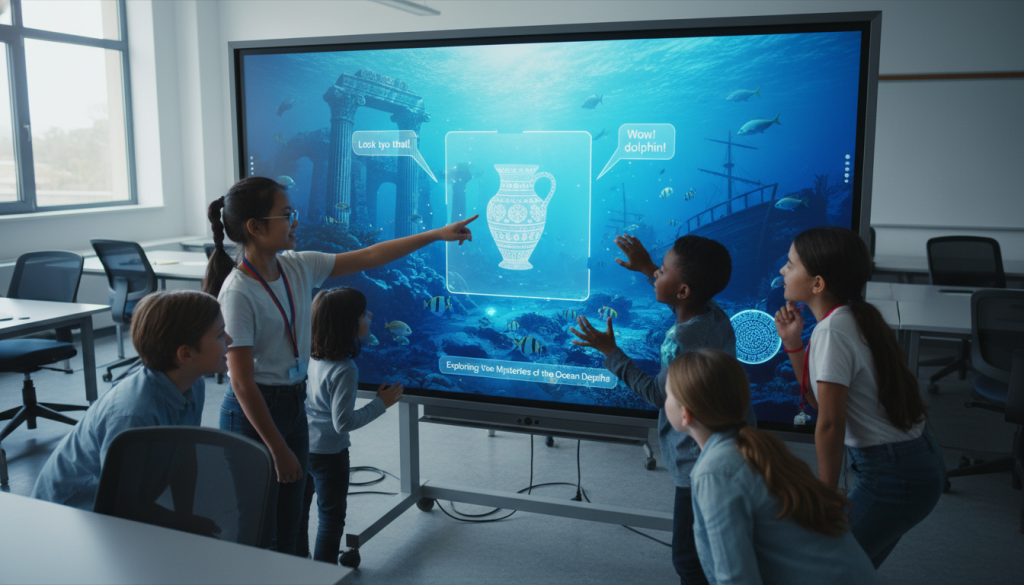
Interactive Quizzes: Boost Student Understanding & Learning
Executive Summary
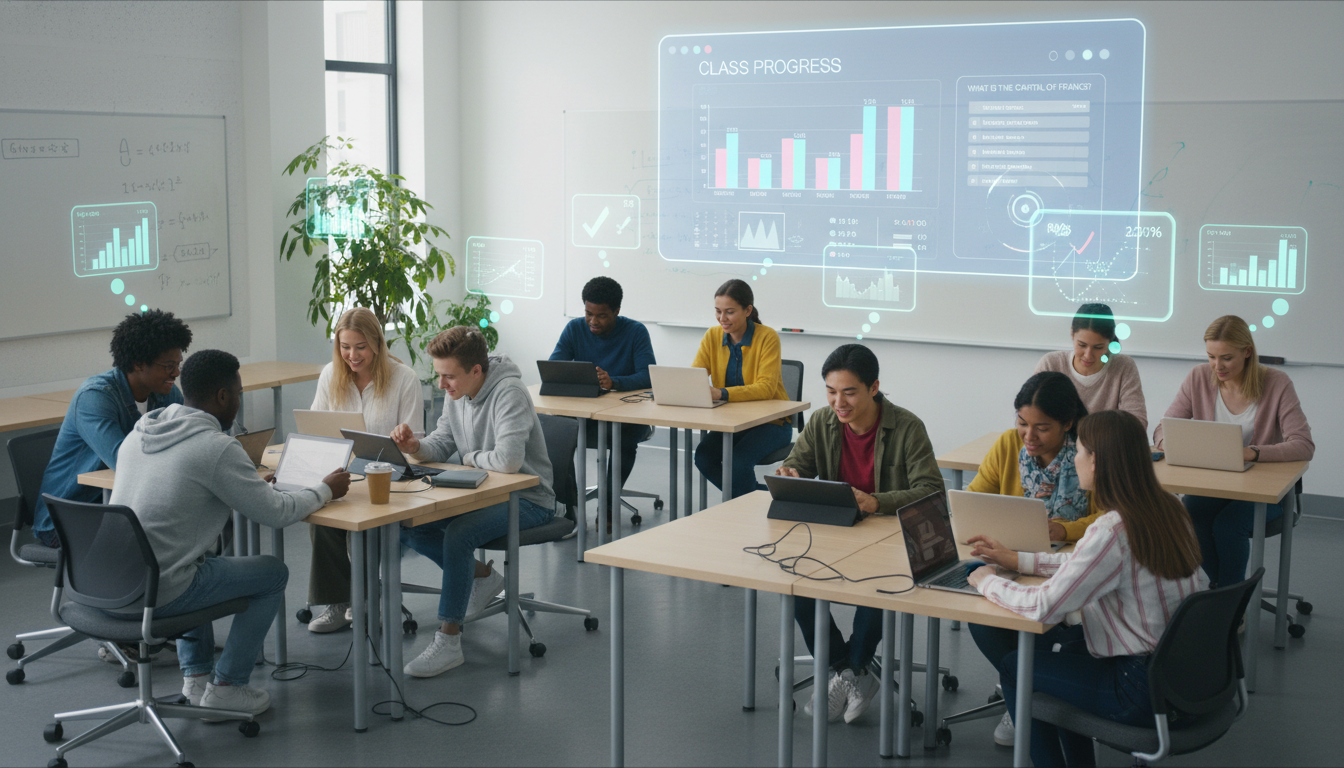
The educational landscape of the mid-2020s is characterized by a definitive shift from passive instruction to active, data-driven engagement. As higher education and K-12 institutions grapple with the post-pandemic evolution of learning modalities, the role of assessment has transformed. No longer merely a summative “gatekeeper” utilized to rank and classify students at the conclusion of a course, assessment is increasingly viewed as a “launchpad for learning”—a continuous, formative dialogue that informs instructional agility and empowers student self-regulation. Central to this transformation is the proliferation of interactive quizzing and polling technologies, a market segment projected to reach a valuation of over $2 trillion by 2034, driven by advancements in Artificial Intelligence (AI) and the ubiquity of mobile computing.
This report provides an exhaustive analysis of the pedagogical, technical, and practical dimensions of interactive polling systems. It draws upon current research from 2024 and 2025 to evaluate how real-time feedback mechanisms influence cognitive retention, reduce academic anxiety, and foster higher-order thinking. We examine the distinct architectures of leading platforms—from the gamified ecosystems of Kahoot! and Quizizz to the professional interface of Poll Everywhere and Slido—providing a granular comparative analysis of their features, accessibility compliance, and data privacy frameworks. Furthermore, this document details evidence-based implementation strategies, such as Mazur’s Peer Instruction and the “Pause Procedure,” offering a roadmap for educators to integrate these tools effectively while navigating the challenges of digital distraction and the digital divide.
The Pedagogical Imperative: From Static Testing to Dynamic Feedback
The Shift to Formative Assessment
The distinction between summative and formative assessment is foundational to understanding the value proposition of interactive polling. Summative assessments are high-stakes evaluations of learning at a specific endpoint. In contrast, formative assessments are low-stakes, frequent, and designed to measure learning in process to provide feedback. The primary objective of formative feedback is to bridge the gap between a learner’s current understanding and the desired learning outcomes. It operates in a spirit of growth, helping students identify misunderstandings before they ossify into long-term cognitive errors.
Recent educational scholarship highlights that traditional assessments often provide narrow snapshots of achievement that arrive too late to influence the learning trajectory. A student receiving a grade on a midterm exam two weeks after the fact has little opportunity to correct the misconceptions that led to errors. Conversely, interactive polling facilitates “synchronous in-person feedback,” allowing instructors to identify gaps in knowledge immediately. This real-time loop is crucial; research indicates that immediate and specific feedback enhances academic performance and significantly promotes self-regulation, empowering students to manage their own learning processes. When feedback is delayed, students often describe it as “almost irrelevant,” having already moved on cognitively from the material in question.
The Cognitive Science of Retrieval Practice
The efficacy of interactive quizzing is rooted in the cognitive science of the “testing effect,” also known as retrieval practice. The act of calling information to mind—which occurs when a student answers a poll question—strengthens neural pathways more effectively than passive review or re-reading of notes. This active engagement forces the learner to grapple with the material, transitioning knowledge from working memory to long-term retention.
Furthermore, the anonymity provided by digital polling tools addresses the psychological barriers to participation. In a traditional lecture hall, the social risk of raising one’s hand to answer a question is high; students fear public embarrassment. Polling systems mitigate this anxiety, creating a safer environment for risk-taking. Studies focusing on graduate students have shown that formative assessment accompanied by timely feedback reduces anxiety and fosters a more equitable learning environment by accommodating diverse learning needs.

The Role of Data Analytics in Modern Education
The integration of data analytics into formative assessment represents a significant leap forward. Modern platforms do not simply tally votes; they generate sophisticated reports that allow instructors to visualize learning trends over time. This “data-informed” approach enables educators to differentiate instruction, targeting interventions toward specific students or concepts that the data reveal as problematic.
The global eLearning market’s explosive growth—projected to surge at a compound annual growth rate (CAGR) of 20.6% from 2024 to 2034—underscores the increasing reliance on these technologies. As AI and Virtual Reality (VR) become more integrated into these platforms, the potential for personalized, adaptive learning experiences grows. AI-driven analytics can now predict student performance trajectories based on polling data, allowing for proactive rather than reactive support.
Theoretical Frameworks for Question Design
The technology of polling is only as effective as the pedagogy driving it. A common failure mode in the adoption of these tools is the “digitization of rote learning”—using sophisticated software to ask unsophisticated questions. To leverage the full potential of interactive polling, educators must ground their question design in established cognitive taxonomies.
Transcending Recall: Bloom’s Taxonomy in Polling
Bloom’s Taxonomy provides a hierarchical framework for educational goals, moving from Remembering and Understanding to Applying, Analyzing, Evaluating, and Creating. While many multiple-choice questions (MCQs) default to the lower levels of recall, it is entirely possible—and necessary—to design MCQs that assess higher-order thinking skills (HOTS).
Designing for Application and Analysis
To move beyond recall, questions must require the student to use knowledge in new situations or break information down into component parts.
- Application: Questions at this level might ask a student to calculate a dosage based on a patient’s weight and kidney function, or to apply a legal statute to a hypothetical crime scenario. The key is that the specific scenario has not been seen before; the student must transfer the concept to the new context.
- Analysis: These questions often present data, clinical vignettes, or historical excerpts. Students might be asked to interpret a graph, identify the unstated assumption in an argument, or diagnose a mechanical failure based on a set of symptoms. The cognitive work involves identifying relationships and underlying structures.
Designing for Evaluation
Evaluation requires making judgments based on criteria and standards. In a polling context, this can be achieved by presenting two competing theories or solutions and asking students to select the most appropriate one for a given set of constraints. For example, “Given the limited budget and the need for rapid deployment, which of the following engineering solutions is most viable, and why?” This forces the student to weigh trade-offs and justify a decision.
Table 3.1: Alignment of Polling Questions with Bloom’s Taxonomy
| Bloom’s Level | Cognitive Process | Example Polling Strategy |
|---|---|---|
| Remember | Recall facts and basic concepts | “Define the term ‘mitochondria’.” (Simple definition check) |
| Understand | Explain ideas or concepts | “Which of the following best paraphrases the author’s main argument?” |
| Apply | Use information in new situations | “Based on the principle of supply and demand, what will happen to the price if…” (Scenario prediction) |
| Analyze | Draw connections among ideas | “Which piece of evidence from the text contradicts the hypothesis that…” (Data interpretation) |
| Evaluate | Justify a stand or decision | “Which of the three proposed treatment plans minimizes risk for this specific patient profile?” |
| Create | Produce new or original work | (Difficult in MCQ) “Which of the following hypothesis modifications would best account for the anomalous data?” |
The Anatomy of a High-Quality Multiple Choice Question
Writing higher-order MCQs requires strict attention to the structure of the stem (the question) and the options (the answer and distractors).
- The Stem: Should be a self-contained problem. A student should be able to cover the options and still understand what is being asked. Scenario-based stems are particularly effective for checking deep understanding.
- Distractor Analysis: The incorrect options (distractors) are pedagogically as important as the correct answer. Good distractors should reflect common misconceptions or partial understanding. If a student selects a specific distractor, it should signal to the instructor exactly why the student is confused (e.g., they forgot to convert units, or they confused correlation with causation). This allows for “diagnostic resolution”.
- Premise-Reasoning Format: To prevent guessing, answers can be structured as “Yes, because X” and “Yes, because Y.” This ensures that the student is correct for the right reason.
Mazur’s Peer Instruction Model
Perhaps the most validated framework for using polling in higher education is Eric Mazur’s Peer Instruction (PI). Developed in the context of introductory physics, PI shifts the focus from lecture to student-student interaction.
The workflow is precise:
- ConceptTest: The instructor poses a conceptual question (not a calculation).
- Individual Vote: Students vote silently.
Peer Discussion: If the correct response rate is roughly 30-70%, the instructor does not reveal the answer. Instead, students are told to “turn to your neighbor and convince them you are right.”
- Re-Vote: Students vote again. Typically, the correct response rate increases significantly.
- Explanation: The instructor debriefs.
This method exploits the fact that students who have just mastered a concept are often better equipped to explain it to a peer who is struggling than the instructor, who may suffer from “expert blind spot”. The polling tool acts as the catalyst for this social learning process.
The Ecosystem of Interactive Platforms: A Comparative Analysis
The market for classroom response systems (CRS) has matured into a diverse ecosystem. Broadly, these tools can be categorized into Gamified Systems (designed for energy and competition) and Professional/Academic Systems (designed for integration and depth).
Gamified Platforms: Kahoot!, Quizizz, Gimkit
These platforms leverage game design elements—points, leaderboards, music, and avatars—to drive engagement. Research suggests that game-based assessments can increase retention by up to 62% and reduce test anxiety by 34% compared to traditional testing.
Kahoot!
- Overview: The dominant player in the K-12 and casual corporate market. Known for its “game show” format where speed and accuracy determine the score.
- Mechanics: Questions appear on a main screen; students answer on their devices using corresponding colors/shapes.
- Pros: Extremely high energy; extensive library of pre-made content; “Ghost Mode” allows reinforcing learning by playing against previous scores.
- Cons: The reliance on speed can disadvantage students with processing issues or visual impairments (though new accessibility features are mitigating this). It requires a central screen, making it less ideal for asynchronous remote learning.
- Pricing: Freemium model with increasingly restrictive limits on the free tier. Educational plans range from $100+ annually for advanced features.
Quizizz
- Overview: Similar to Kahoot! but focuses on student-paced progression. Questions appear on the student’s device, not just the main screen.
- Mechanics: Students progress through questions at their own speed. The leaderboard tracks progress, but the immediate pressure of “everyone answering now” is removed.
- Pros: Reduces anxiety associated with timed pressure; better for diverse reading speeds; integrates robustly with Google Classroom; “Meme” feedback adds fun without high-stakes pressure.
- Cons: Less “communal” excitement than Kahoot! since students are on different questions at different times.
- Privacy: Strong focus on compliance; signatories of the Student Privacy Pledge.
Gimkit & Blooket
- Overview: These platforms take gamification further by introducing virtual economies (Gimkit) or tower-defense mechanics (Blooket).
- Mechanics: In Gimkit, answering questions correctly earns “money” which can be used to buy upgrades (e.g., more points per question) or power-ups.
- Pros: Extremely high engagement for repetitive drill practice; promotes strategic thinking alongside content recall.
- Cons: The game mechanics can sometimes overshadow the content; arguably less suitable for introducing new complex concepts.
Professional and Academic Platforms: Poll Everywhere, Slido, Mentimeter
These tools prioritize seamless integration into presentations, data visualization, and professional aesthetics. They are favored in higher education and corporate environments.
Poll Everywhere
- Overview: The standard for higher education large lectures. It is designed to be invisible, embedding directly into PowerPoint, Keynote, and Google Slides.
- Mechanics: Instructors add poll slides directly into their deck. Students respond via web or text message.
- Pros: Least disruptive to lecture flow; supports sophisticated question types (clickable image, LaTeX for math, upvoting Q&A); rigorous data security (SOC 2 Type 2) and LTI integration.
- Cons: The free plan is very limited (often capped at 25 or 40 responses), making it non-viable for large classes without an institutional license.
Mentimeter
- Overview: Focuses on beautiful data visualization. Known for its “Word Clouds” and interactive slide designs.
- Mechanics: Web-based presentation tool. Users often switch out of PowerPoint to present from Mentimeter (though plugins exist).
- Pros: Best-in-class visual design; excellent for gauging sentiment or brainstorming; “Pin on Image” is great for geography or anatomy.
- Cons: Free version limits the number of question slides per presentation, which can be restrictive for long lectures.
Slido
- Overview: Originally built for conferences, Slido excels at Q&A management.
- Mechanics: Features a robust backchannel where students can submit questions anonymously and upvote others’ questions.
- Pros: Solves the problem of “missing the important question” in large streams; integrates well with video conferencing tools like Zoom and Webex.
- Cons: Polling features are less gamified; more utilitarian.
| Platform | Primary Use Case | Gamification Level | LMS Integration | Accessibility (WCAG) | Pricing Model |
|---|---|---|---|---|---|
| Kahoot! | K-12 Review / Icebreakers | High (Competitive) | Basic (Google/Canvas) | Improving (Read Aloud) | Subscription (Free limited) |
| Quizizz | Homework / Formative | High (Student-Paced) | Strong (Roster Sync) | High | Subscription |
| Poll Everywhere | Higher Ed Lectures | Low (Professional) | Advanced (LTI 1.3) | Strong (VPAT available) | Institutional / Per User |
| Mentimeter | Visual Polling / Sentiment | Moderate | Moderate | Mixed (Visual heavy) | Freemium / Pro |
| Slido | Q&A / Conferences | Low | Basic | High | Freemium / Event-based |
| Socrative | Quick Checks / Quizzes | Low (Utility) | Strong (Pro only) | High (Simple UI) | Subscription |
Technical Implementation: Integration, Privacy, and Accessibility
Learning Management System (LMS) Integration
For polling to function as a graded assessment tool rather than just an engagement toy, it must “talk” to the institution’s LMS (e.g., Canvas, Blackboard, Moodle). This integration is governed by the Learning Tools Interoperability (LTI) standard.
- LTI 1.1 vs. LTI 1.3: Modern security protocols are shifting towards LTI 1.3 (also known as LTI Advantage). LTI 1.3 offers enhanced security (OAuth2) and deeper integration features like roster syncing and automatic grade pass-back.
- Roster Sync: Platforms like Socrative and Poll Everywhere allow instructors to import their class roster directly from the LMS. This ensures that when a student answers a poll, their response is automatically attributed to their student ID, preventing the “guessing game” of matching nicknames to gradebooks.
- Grade Pass-Back: This feature pushes polling scores directly into the LMS gradebook. For example, an instructor can set a policy where 80% participation equals full credit, and the software calculates and syncs this automatically, saving hours of administrative work.

Data Privacy: Navigating FERPA, COPPA, and GDPR
The collection of student data by third-party cloud services is a significant legal concern.
- FERPA (Family Educational Rights and Privacy Act): In the US, FERPA protects the privacy of student education records. Polling platforms that store identifiable student data (names, IDs, grades) function as “School Officials” with a legitimate educational interest. They must contractually agree not to use this data for other purposes (like mining for ad targeting).
- Quizizz Compliance: Quizizz explicitly states it does not sell student data and allows for anonymous play. It offers standard Data Processing Agreements (DPAs) for districts to sign.
- Kahoot! Settings: To maintain strict FERPA compliance, instructors should ensure “Public” visibility is disabled for Kahoots that might contain sensitive class information. Using nickname generators can further anonymize participation.
- COPPA (Children’s Online Privacy Protection Act): This applies to children under 13. Platforms like Kahoot! and Quizizz have specific “walled garden” modes for younger students that disable social sharing and data collection. Poll Everywhere generally advises against use with under-13s without specific parental consent mechanisms.
Accessibility: Ensuring Equity for All Learners
Accessibility is often the Achilles’ heel of interactive polling. Rapid-fire, visually complex interfaces can exclude students with visual impairments, motor difficulties, or processing delays. Compliance with WCAG (Web Content Accessibility Guidelines) 2.1 AA is the standard target.
- Screen Readers:
- Poll Everywhere: The participant mobile interface is largely accessible via keyboard and screen readers, though image-map questions remain a barrier.
- Kahoot!: Historically, the timer and color-based answers were major hurdles. Recent updates include a “Read Aloud” feature and high-contrast modes. However, the timer can still disrupt screen reader focus, so untimed modes are strongly recommended for inclusive classrooms.
- Mentimeter: While improving, certain features like “Pin on Image” are inherently inaccessible to blind users. Mentimeter provides an “Accessibility Check” tool for presenters to flag low-contrast text before presenting.
- Best Practices for Inclusive Polling:
- Extend Time: Always provide more time than you think is necessary, or remove timers entirely.
- Multiple Modalities: Read the question and options aloud.
Do not rely solely on the screen.
- Alt-Text: Manually add descriptive text to any images used in poll questions.
- Color Independence: Ensure answers are identified by shape (triangle, square) or number, not just color (red, blue).
Strategies for Deployment: Orchestrating the Active Classroom
The technology is merely a tool; the orchestration of that tool determines its pedagogical value.
The “Pause Procedure”
Cognitive science research establishes that attention during passive lecturing begins to wane significantly after 10-15 minutes. The “Pause Procedure” is a structured intervention to reset cognitive load.
- Protocol: Every 15 minutes, the instructor pauses the lecture.
- Action: A poll question is launched targeting the concept just covered.
- Reflection: Students are given 2 minutes to answer and discuss.
- Outcome: This spacing allows for “synaptic consolidation” of the material. Studies show that students in classes utilizing this procedure consistently outperform those in continuous lecture environments on post-tests.
Pre-Assessment and Agile Teaching
Interactive polling allows for “Agile Teaching”—the ability to adapt instruction in real-time based on data.
- The Pre-Test: Launching a poll at the start of a unit to gauge prior knowledge. If 90% of the class answers correctly, the instructor can skip the introductory lecture and move to advanced application. If 20% answer correctly, the instructor knows to slow down.
- Misconception Check: Intentionally asking a “trick” question where the distractor represents a common myth. When the class overwhelmingly picks the wrong answer, it creates a “teachable moment” of high engagement.
Exit Tickets
The “Exit Ticket” is a short formative assessment at the end of class.
- Strategy: Ask 2-3 questions. One on content (“What is the value of X?”), and one on metacognition (“What was the muddiest point today?”).
- Analysis: The instructor reviews this data before the next class to determine if review is needed. This closes the feedback loop.
Managing Digital Distraction
A primary resistance to BYOD (Bring Your Own Device) polling is the fear of distraction. With 72% of high school teachers citing phones as a major problem, this is valid.
Mitigation:
- “Lids Down / Screens Up”: Establish clear cues for when devices should be used and when they should be grounded.
- High Velocity: Keep the polling frequent. If students use their phones every 10 minutes for class, they are less likely to drift into social media than if they use them once an hour.
- Network Filtering: Institutional networks can block common distraction sites while allowing polling domains.
Low-Tech and No-Tech Alternatives
The “Digital Divide” remains a reality. In contexts where students do not have reliable access to smartphones or Wi-Fi, or where an instructor wishes to avoid screens entirely, low-tech alternatives offer robust functionality.
Plickers (Paper Clickers)
Plickers is a hybrid tool that bridges the gap between digital data collection and analog participation.
- How it Works: Each student is assigned a paper card with a unique QR code shape. The orientation of the card (turning it so ‘A’ is at the top vs ‘B’) determines the answer.
- Workflow: The teacher asks a question. Students hold up their cards. The teacher scans the room with a single smartphone/tablet camera. The app instantly recognizes the cards and aggregates the data.
- Zero Student Devices: Eliminates the distraction of phones and the inequity of device ownership.
- Anonymity: Students cannot easily decipher their neighbors’ QR codes, preserving the privacy of the response.
- Data Integrity: The teacher still gets a full digital report of student performance.
The ABCD Card Method
A purely analog method involving colored cards labeled A, B, C, D.
- Protocol: Students hold the folded card against their chest to answer.
- Benefit: Provides “semi-anonymity” (peers can’t see, teacher can) and prevents “response cascading” where students wait to see what the smart kid answers before raising their hand.
Finger Voting (Fist-to-Five)
A somatic voting method for quick “temperature checks.”
- Protocol: Students show fingers to indicate confidence. Fist = “I am lost”; 5 Fingers = “I understand perfectly.”
- Use Case: Immediate pacing adjustments. “Show me fist-to-five on how ready you are to move to the next topic”.
Conclusion
The integration of interactive quizzes and polling into the educational fabric represents more than a technological upgrade; it is a pedagogical restructuring that prioritizes active retrieval, immediate feedback, and data-driven instruction.
The evidence reviewed in this report suggests that when implemented with fidelity—using higher-order questions, ensuring accessibility, and leveraging strategies like Peer Instruction—these tools can significantly enhance student engagement and achievement. The distinction between “gamified” and “professional” tools allows educators to tailor the experience to their specific context, balancing the need for motivation with the need for deep cognitive processing.
However, the technology remains subservient to the human element. The most sophisticated polling algorithm cannot compensate for a poorly designed question or a classroom culture that punishes error. The future of assessment, therefore, lies in the continued development of assessment literacy among educators—empowering them to use these powerful tools to turn every classroom into a dynamic laboratory of learning. As AI continues to evolve, promising automated distractor generation and personalized learning paths, the role of the educator as the architect of these experiences will only become more critical.