Flipped Classroom & Smart Boards: Transform Education Now
The Flipped Classroom with Smart Boards: A New Approach
Table of Contents
- Executive Summary
- The Pedagogical Paradigm Shift: From Transmission to Construction
- ↳ The Evolution and Necessity of Flipped Learning
- ↳ Theoretical Underpinnings: Constructivism and Cognitive Load
- ↳ Flipping Bloom’s Taxonomy
- The Technological Ecosystem: Interactive Displays as Central Hubs
- ↳ Hardware Evolution: From Projectors to Interactive Flat Panels
- 2.2 Software Ecosystems: The Brains Behind the Board
- 2.3 Integration with Learning Management Systems (LMS)
- 3. Instructional Design for the Flipped Smart Classroom
- ↳ 3.1 Pre-Class: The Content Creation Phase
- ↳ 3.2 In-Class: The Active Learning Phase
- ↳ 3.3 Data-Driven Instruction and “Just-in-Time” Teaching
- 4. Implementation Models and Workflows
- ↳ 4.1 The “Station Rotation” Model
- ↳ 4.2 The “Flipped Mastery” Model
- ↳ 4.3 Hybrid Flipped Classroom
- 5. Efficacy and Impact: A Review of the Evidence
- ↳ 5.1 Student Engagement and Motivation
- Academic Achievement: Quantitative Outcomes
- ↳ The West Point Study:
- ↳ Clintondale High School (Michigan):
- ↳ Niagara Falls High School:
- ↳ Meta-Analyses:
- Teacher Efficacy and Workload
- Professional Development and Teacher Training
- ↳ The “Flipped PD” Model
- ↳ Training Costs and Requirements
- ↳ Overcoming Resistance
- Financial Analysis and Total Cost of Ownership
- ↳ Hardware and Infrastructure Costs
- ↳ Hidden Costs and Maintenance
- ↳ Return on Investment (ROI)
- Case Studies in Depth
- ↳ Higher Education: University of Cambridge (Physiology)
- ↳ K-12: Clintondale High School (The “Flipped School”)
- ↳ CTE Culinary Arts Study
- Future Trends and Emerging Technologies
- ↳ AI Integration: The Smart Board as Intelligent Assistant
- ↳ Augmented Reality (AR) and Virtual Reality (VR)
- ↳ The “Anywhere” Classroom
- Conclusion
- Detailed Analysis of Technological Specifications and Costs
- ↳ Comparative Analysis of Leading Smart Board Ecosystems
- ↳ Cost Implications (2025 Estimates)
- Pedagogical Deep Dive: Lesson Planning for the Flipped Smart Classroom
- ↳ Case Example: High School Biology – “Cell Division (Mitosis)”
- ↳ The “Student-Led” Board
- Strategic Recommendations for Implementation
- ↳ Monitor Data for Equity
Executive Summary
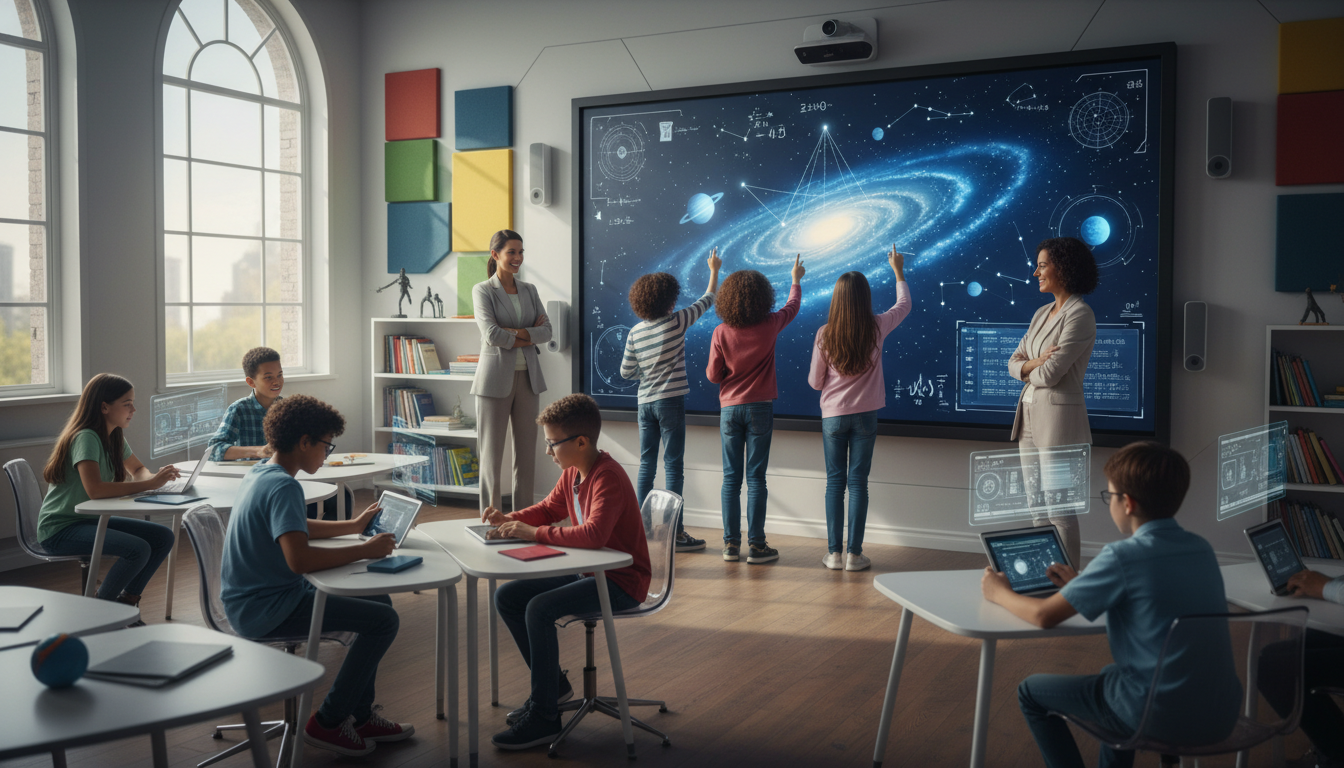
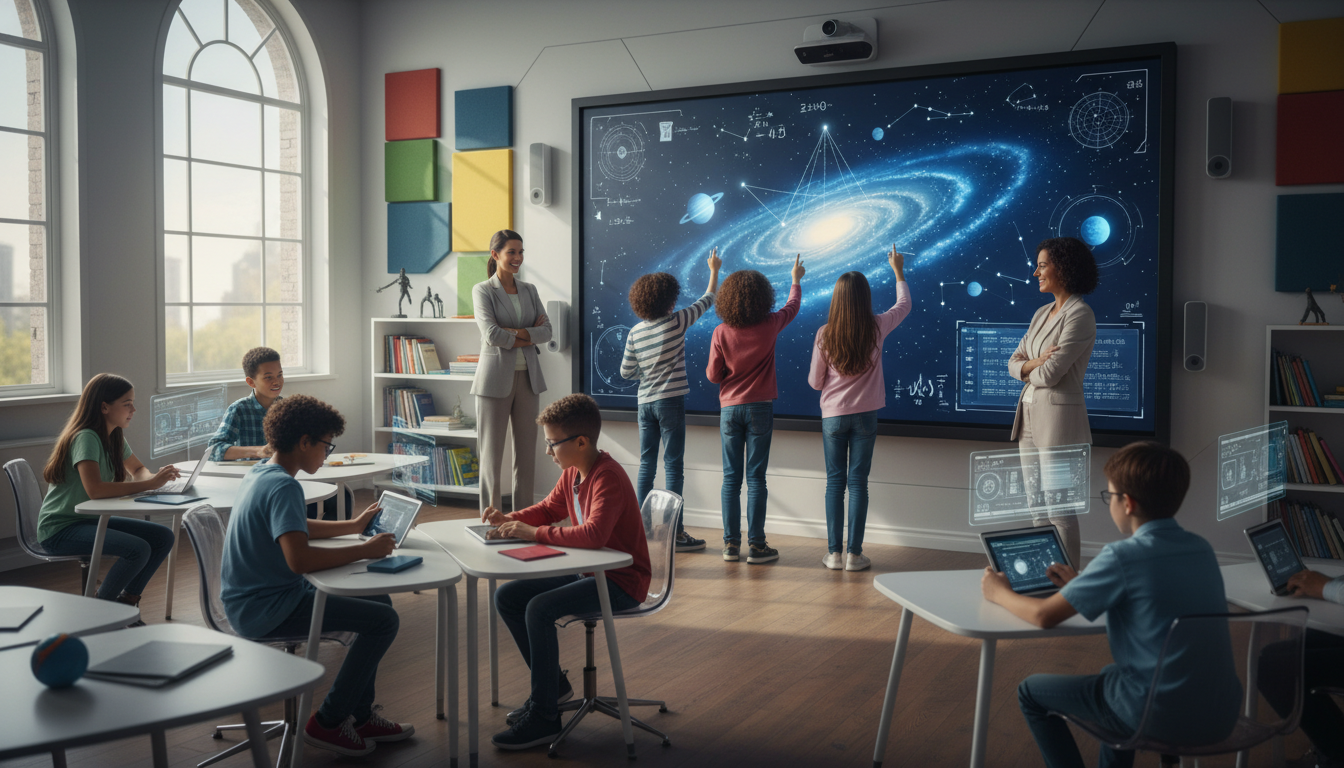
The convergence of the flipped classroom model and interactive whiteboard technology represents one of the most significant pedagogical shifts in twenty-first-century education. This report provides an exhaustive analysis of how these two distinct innovations—one a restructuring of instructional time, the other a technological interface—synergize to create a learning environment that is active, student-centered, and data-driven. The flipped classroom, which reverses traditional instructional delivery by moving direct instruction to the individual learning space and reserving class time for collaborative problem-solving, finds its most robust technical partner in the interactive display.
Analysis of the current educational landscape reveals that smart boards are evolving from static presentation tools into dynamic collaboration hubs that facilitate the “group space” activities essential to flipped learning. This report examines the theoretical underpinnings of this approach, the technological infrastructure required, specific instructional strategies, and the empirical evidence regarding efficacy. Case studies from K-12 and higher education institutions, including West Point, the University of Cambridge, and Clintondale High School, provide longitudinal data on impact. Furthermore, the report explores the financial implications, professional development requirements, and future trends such as Artificial Intelligence (AI) integration, offering a comprehensive roadmap for educational leaders and practitioners navigating this digital transformation. The findings suggest that while the hardware provides the potential for transformation, the efficacy of the model relies heavily on intentional pedagogical design, robust professional development, and the strategic integration of data analytics to close achievement gaps.
The Pedagogical Paradigm Shift: From Transmission to Construction
The Evolution and Necessity of Flipped Learning
The traditional model of education, often characterized by the “sage on the stage” delivering content to passive recipients, has increasingly come under scrutiny for its inefficiency in addressing diverse learner needs. In this conventional setting, the “transfer” of knowledge occurs in the classroom via lecture, while the complex cognitive task of “sense-making”—application, analysis, and synthesis—is relegated to homework, often when the student is isolated and without instructional support. The flipped classroom inverts this dynamic. Students encounter new material—often via video lectures, podcasts, or digital readings—prior to class. This frees synchronous class time for active learning: application, analysis, and synthesis.
The origins of this model are often traced to Jonathan Bergmann and Aaron Sams, chemistry teachers who initially recorded lectures for absent students, only to realize the potential for fundamentally changing class dynamics. Their realization was not merely logistical but pedagogical: by offloading direct instruction, the teacher is liberated to function as a facilitator, coach, and mentor during the valuable face-to-face time. This shift addresses a critical flaw in traditional homework: students often struggle most during the application phase, yet this is precisely when the teacher is absent in the traditional model.
However, the flipped classroom is not a monolith. It has evolved from simple video consumption to a sophisticated cycle of pre-class preparation, in-class active inquiry, and post-class reflection. The integration of interactive whiteboards (smart boards) into this ecosystem transforms the “group space” from a room of desks facing forward into a dynamic studio of collaboration. The smart board becomes the physical manifestation of the flipped philosophy, serving as the workspace where students externalize their thinking.
Theoretical Underpinnings: Constructivism and Cognitive Load
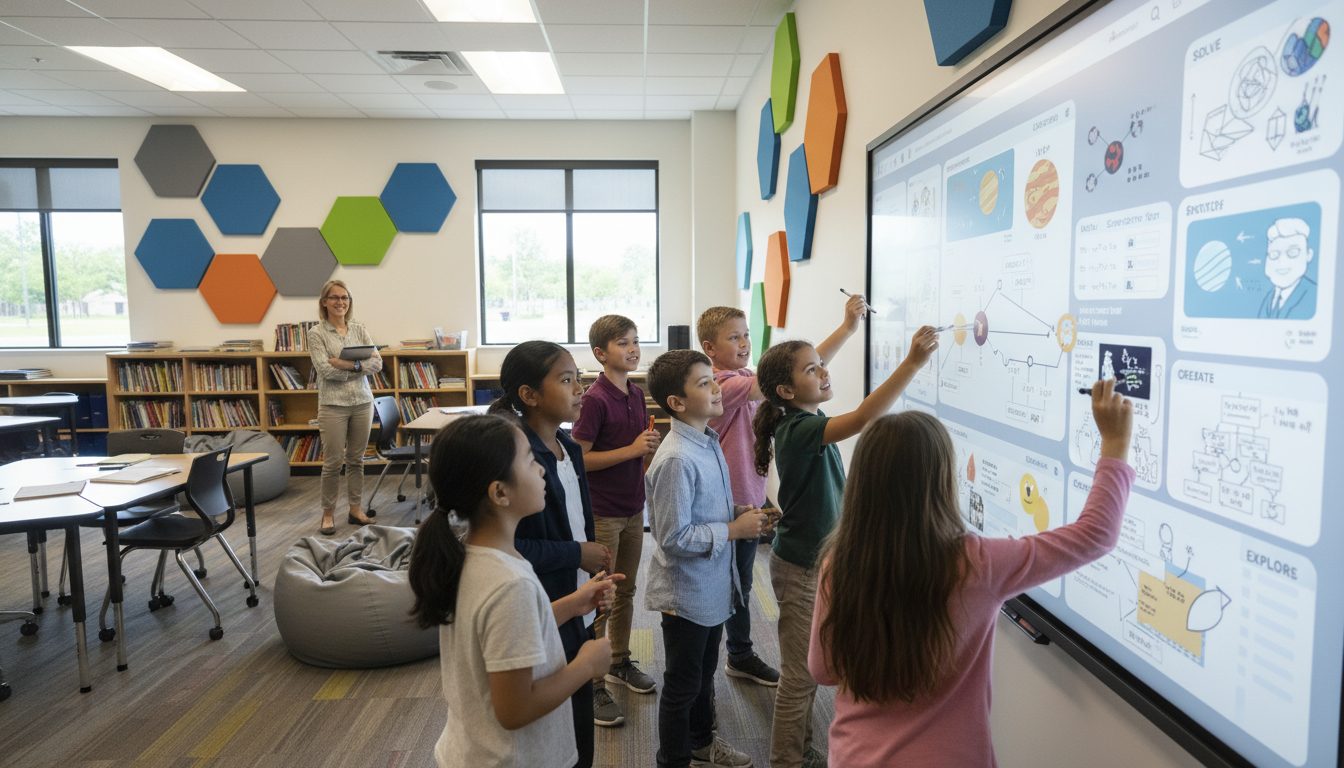
The efficacy of the flipped classroom with smart boards is rooted in constructivist learning theory, which posits that learners build knowledge through experience and social interaction rather than passively receiving it. Smart boards facilitate this by allowing physical interaction with digital content. Students do not just watch a simulation; they drag variables, resize structures, and annotate relationships. This tactile engagement recruits the kinesthetic modality of learning, reinforcing the visual and auditory inputs.
Cognitive Load Theory (CLT) is equally critical in designing flipped learning ecosystems. CLT suggests that working memory is limited and can be easily overloaded by extraneous information. Flipped learning addresses this by allowing students to control the pace of the lecture at home (pausing, rewinding), thereby managing intrinsic load. When these students arrive in class, the smart board can further manage cognitive load through “multimodal” presentation. By combining visual, auditory, and kinesthetic elements, the board utilizes dual coding channels (visual/spatial and auditory/verbal), which has been shown to enhance retention and understanding. The ability to annotate directly over complex diagrams or text helps focus student attention on relevant features, reducing the “split-attention effect” where learners struggle to integrate disparate sources of information.
Flipping Bloom’s Taxonomy
The flipped classroom fundamentally inverts Bloom’s Taxonomy. In a traditional setting, the lowest levels of cognitive work—Remembering and Understanding—are the focus of valuable class time (lectures), while the hardest work—Applying, Analyzing, Evaluating, and Creating—is assigned as homework. The flipped model moves the lower-order tasks to the pre-class space and reserves the classroom for higher-order thinking.
Table 1: The Flipped Taxonomy in the Smart Classroom
| Cognitive Level | Traditional Model Activity | Flipped & Smart Board Activity |
|---|---|---|
| Creating | Homework (often individual) | In-Class: Students use the smart board to design models, create digital stories, or record their own explanations, utilizing the board’s recording and multimedia tools. |
| Evaluating | Homework/Exam | In-Class: Students critique peer work displayed on the board; use voting/polling tools (e.g., via Promethean ClassFlow or SMART Lumio) for peer assessment and debate. |
| Analyzing | Homework/Class Discussion | In-Class: Groups manipulate data sets on the board to find patterns; annotate texts to identify themes; use split-screen features to compare contrasting historical sources. |
| Applying | Homework | In-Class: Collaborative problem solving on the board; gamified simulations where students physically interact with variables. |
| Understanding | Lecture | Pre-Class: Video lectures recorded by the teacher using the smart board’s screencasting software; interactive quizzes embedded in videos. |
| Remembering | Lecture | Pre-Class: Flashcards, definitions, basic reading, and low-stakes assessment. |
The presence of the smart board allows the “Creating” and “Evaluating” stages to be collaborative public acts rather than solitary private ones. When a student creates a model on a smart board, it is immediately visible to the class, inviting critique, iteration, and collective refinement.
The Technological Ecosystem: Interactive Displays as Central Hubs
Hardware Evolution: From Projectors to Interactive Flat Panels
To understand the current capabilities of the flipped classroom, one must appreciate the evolution of the hardware. The transition from projector-based Interactive Whiteboards (IWBs) to Interactive Flat Panels (IFPs) has resolved many maintenance and usability issues that hindered early adoption and is crucial for the reliability required in a high-stakes active learning environment.
Projector-Based Systems (Legacy): Early iterations (e.g., early SMART Boards) relied on a projector mounted on the ceiling and a touch-sensitive board on the wall. These systems, while revolutionary, suffered from “shadowing” (where the user’s body blocked the image), required frequent calibration, and necessitated costly bulb replacements. In a flipped classroom, where every minute of active time is precious, technical glitches with projectors can derail the entire lesson flow.
Interactive Flat Panels (Modern Standard): The contemporary landscape is dominated by IFPs, which resemble large LED televisions. These devices offer 4K resolution, high brightness, and significant longevity (often rated for 50,000+ hours). Crucially for flipped learning, they support simultaneous touch points—often up to 40—allowing multiple students to work on the board at once without signal interference. This multi-touch capability is a prerequisite for true collaboration; without it, the board remains a single-user presentation tool.
Key Hardware Features for Flipped Classrooms:
- Zero Bonding Technology: This manufacturing process reduces the air gap between the glass and the display panel. This results in a writing experience that feels instant and precise, akin to pen on paper. This is vital for student engagement; if the technology feels “laggy,” students will revert to analog tools.
- Connectivity (USB-C & Casting): Modern boards feature USB-C connectivity, allowing students to plug in their devices and cast their screens immediately, facilitating the “Bring Your Own Device” (BYOD) strategies often paired with flipped learning. This allows a student to do work on their tablet and instantly “throw” it to the main board for class discussion.
- Embedded Computing (System on Chip): Many panels run an onboard operating system (usually Android), allowing them to function independently of a PC.
This enables instant access to web browsers, cloud drives (Google Drive, OneDrive), and whiteboarding apps. This “walk-up-and-use” capability reduces the friction of starting a lesson.
2.2 Software Ecosystems: The Brains Behind the Board
The hardware is only as effective as the software that drives it. The market is divided between proprietary software linked to specific hardware and agnostic web-based platforms.
- SMART Technologies (Lumio & Notebook): SMART offers a robust suite where teachers can create interactive lessons. Lumio (formerly SMART Learning Suite Online) is particularly powerful for flipped classrooms as it allows lessons to be pushed to student devices. Students can interact with the lesson at home (asynchronous) or in class (synchronous), turning the static PDF into a manipulative activity.
- Promethean (ActivInspire & ClassFlow): Similar to SMART, Promethean offers desktop and cloud-based solutions. ClassFlow allows for the delivery of lessons to student devices, enabling polling and quizzes that provide the real-time data teachers need to adjust instruction in a flipped model. The software’s ability to facilitate “spontaneous” questioning is key for the responsive nature of flipped teaching.
- ViewSonic (myViewBoard): This ecosystem focuses on interoperability and cloud integration. Its “Cast” features allow for seamless screen sharing from multiple student devices, creating a “huddle” environment where the main board aggregates work from various student groups.
- Cloud-Agnostic Whiteboards: Tools like Whiteboard.chat, Miro, and Explain Everything are increasingly popular. These platforms are hardware-neutral and allow for persistent digital workspaces. In a flipped class, a teacher can create a board for a group, assign it as pre-work, and then pull it up on the main smart board for in-class discussion. Whiteboard.chat, for instance, allows a teacher to observe 30 individual student boards simultaneously—a digital “over the shoulder” view.
2.3 Integration with Learning Management Systems (LMS)
For the flipped classroom to function, the pre-class content must be delivered effectively. Smart board software increasingly integrates with LMS platforms like Canvas, Google Classroom, and Schoology. The workflow is critical:
- Creation: A teacher records a lesson on the smart board using the screen capture tool, annotating slides in real-time.
- Distribution: This video is automatically saved to Google Drive and posted to Google Classroom via the board’s interface.
- Access: Students access the video via the LMS at home.
- Feedback: Interactive elements (like Lumio activities) report data back to the LMS gradebook.
New standards like Google EDLA (Enterprise Devices Licensing Agreement) allow smart boards to have native access to the Google Play Store and Google Workspace apps, streamlining the login process and file access. This means a teacher can walk into any classroom, log in to the board, and instantly access their flipped content from the cloud.
3. Instructional Design for the Flipped Smart Classroom
3.1 Pre-Class: The Content Creation Phase
The smart board is a powerful production tool. Instead of static videos of a talking head, teachers can create dynamic “board-casts” that are visually engaging and rich in information.
Screencasting and Annotation: Teachers use the board’s recording feature to capture their voice and screen interactions. This allows for step-by-step demonstration of math problems, diagramming of scientific processes, or annotation of historical documents. The ability to write, highlight, and move objects while speaking helps duel-code the information for students.
Interactive Video: Passive video watching can lead to low retention. Using tools like EdPuzzle combined with smart board recordings, teachers can embed questions into the video. This ensures students are not just watching passively but engaging with the content. The data from these interactions informs the next day’s instruction. For example, if 80% of the class misses the question at minute 4:00, the teacher knows exactly what to focus on during the active learning session.
Differentiation: The smart board allows for efficient creation of differentiated content. Teachers can record multiple versions of a lesson—remediation, standard, and extension—allowing students to choose the video that matches their current understanding or language needs. This supports inclusive practices and personalized learning pathways.
3.2 In-Class: The Active Learning Phase
The synchronous time is where the smart board shifts from a teacher tool to a student tool. The focus is on collaboration, discussion, and problem-solving.
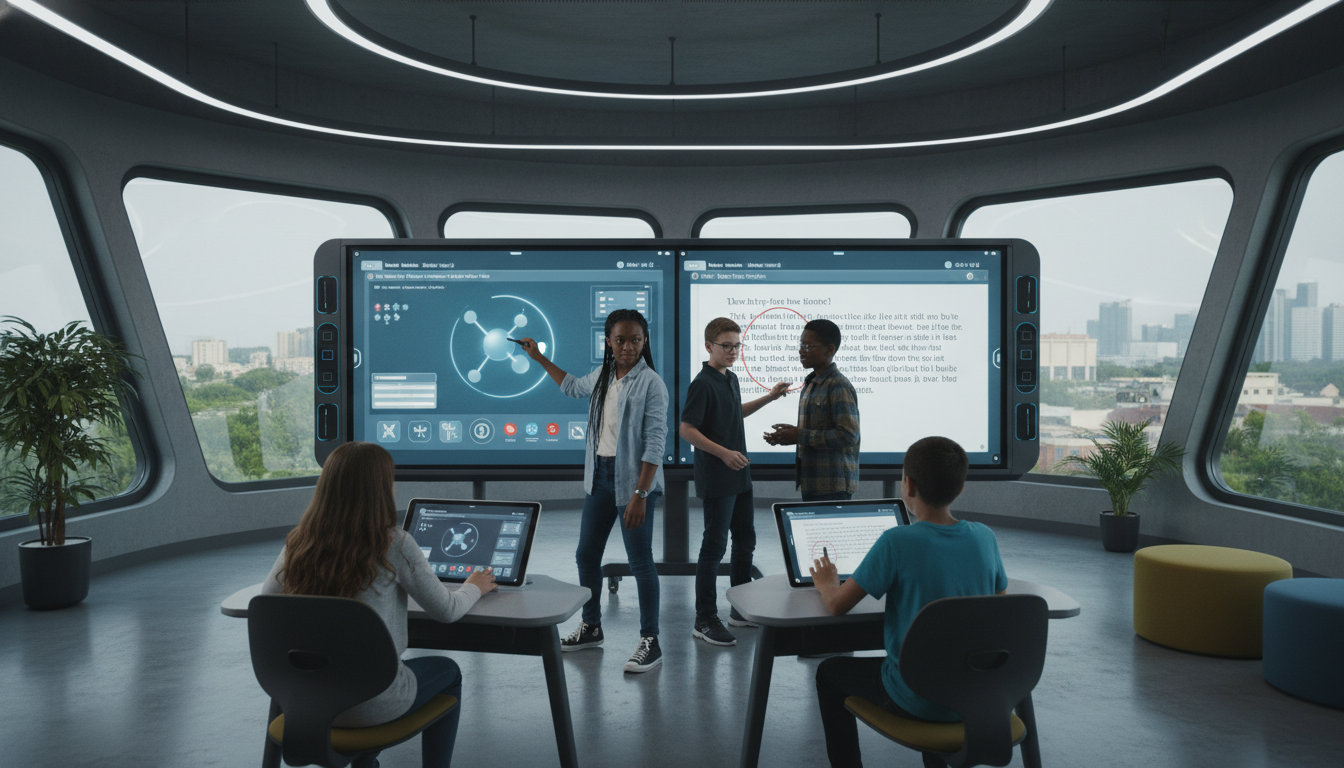
Collaborative Problem Solving: The class is divided into groups. Each group might work on a portable device that mirrors to the main board, or groups rotate to the board to solve parts of a complex problem. Multi-touch capabilities allow 4-6 students to write on the board simultaneously. Software like BenQ’s InstaShare or Promethean’s Screen Share allows up to 9 student screens to be displayed on the main board at once, facilitating comparative analysis of student work.
Gamification: Platforms like Kahoot!, Monster Quiz (SMART), or custom-built games on the board are used to review the pre-class material. This provides instant feedback and leverages competitive elements to boost motivation. The large format of the smart board turns a quiz into a game show atmosphere, building energy and community.
Student-Led Presentations: In a flipped mastery model, students who have mastered a concept use the smart board to teach it to their peers. This reinforces their own learning (the protégé effect) and changes the classroom hierarchy. Students use the same annotation and manipulation tools as the teacher to demonstrate their understanding.
Visual Thinking & Annotation: The board acts as a canvas for making thinking visible. In a literature class, a passage is displayed, and students use digital ink to highlight themes, circle vocabulary, and draw connections. This collective annotation process creates a shared artifact of the class’s understanding, which can then be saved and shared as a PDF notes document.
3.3 Data-Driven Instruction and “Just-in-Time” Teaching
A critical component of the flipped model is knowing what students know before they enter the room. The smart board serves as the dashboard for this data.
Entrance Tickets: Students enter the class and immediately interact with the board (e.g., dragging their name to a zone indicating their confidence level with last night’s video). This provides an immediate “temperature check” for the teacher.
Real-Time Analytics: During class, teachers can push a question to student devices. The aggregate results are displayed on the smart board (often anonymized). This allows the teacher to identify misconceptions immediately and perform “Just-in-Time” teaching, effectively re-flipping the class for a few minutes to address a specific gap. This agility is impossible in a traditional lecture where the teacher often doesn’t know students are confused until the exam.
4. Implementation Models and Workflows
4.1 The “Station Rotation” Model
In K-12 settings, particularly elementary, the flipped classroom often utilizes a station rotation model where the smart board serves as an independent learning station.
- Station 1 (Teacher-Led): Small group instruction, targeted remediation based on data.
- Station 2 (Collaborative): Hands-on manipulative work or paper-based problem solving.
- Station 3 (Smart Board): A group of students works collaboratively on the board using a gamified app or interactive simulation (e.g., PhET simulations). The board’s intuitive interface allows students to operate it without adult supervision, freeing the teacher to focus on the small group.
4.2 The “Flipped Mastery” Model
In this advanced model, students move through content at their own pace. The smart board becomes a checkpoint and demonstration zone.
- Workflow: Students watch videos and complete practice problems independently. When they feel ready, they take a mastery check.
- Role of Board: When a small group of students reaches the same difficult concept, the teacher pulls them to the smart board for a “mini-lecture” or guided practice session. The board is used for targeted intervention rather than whole-group broadcast.
4.3 Hybrid Flipped Classroom
Post-pandemic, the hybrid model persists. The smart board bridges the physical and virtual worlds.
- Workflow: Remote students join via Zoom/Teams/Google Meet running on the smart board’s OPS (Open Pluggable Specification) computer.
- Integration: The teacher writes on the board, and the digital ink is transmitted in real-time to the remote students’ screens. Remote students can annotate the shared whiteboard from their devices, and their writing appears on the physical board in the classroom. This creates a unified learning space despite physical separation.
5. Efficacy and Impact: A Review of the Evidence
5.1 Student Engagement and Motivation
Research consistently points to increased engagement as a primary benefit of the flipped/smart board combination.
- Visual and Kinesthetic Engagement: Studies indicate that the interactive nature of the boards appeals to diverse learning styles. The ability to touch and manipulate content keeps students physically active, which is linked to cognitive engagement. A study involving whiteboard animation in a flipped context showed significant improvements in student critical thinking and self-regulation skills.
- Reduction of Passive Time: By moving the lecture home, the “boredom” associated with passive listening is reduced. In-class time is active. Surveys reveal that students generally prefer the flipped model because it allows them to learn at their own pace.
The addition of the smart board in class is perceived as making the learning environment more “fun” and “modern”.
- Qualitative Feedback: Students report feeling “more into the class” because they can prepare in advance and interact during the session. The shift from passive listening to active doing is a key driver of this improved sentiment.
Academic Achievement: Quantitative Outcomes
The quantitative data on academic achievement is generally positive, though mixed in magnitude, suggesting that implementation quality matters more than the technology itself.
The West Point Study:
A rigorous randomized controlled trial at the United States Military Academy (West Point) compared flipped instruction to standard lecture in mathematics and economics courses.
- Findings: The study found short-term gains in mathematics achievement for the flipped group. However, it notably found that the flipped model widened the achievement gap. The benefits were largely driven by white, male, and higher-achieving students, while lower-achieving students did not see the same gains.
- Implication: This highlights a critical challenge: the flipped model requires a high degree of self-regulation. Students who struggle with executive function may fall behind if they do not complete the pre-work. The technology alone does not fix this; scaffolding and accountability are required.
Clintondale High School (Michigan):
Perhaps the most famous case study in flipped learning, Clintondale flipped its entire curriculum to address rampant failure rates.
- Context: An at-risk school with high poverty and low test scores.
- Intervention: Teachers recorded lectures using screen capture technology (TechSmith) and utilized smart boards for in-class activities.
- Results: The failure rate in 9th-grade math dropped from 44% to 13%. In English, it dropped from 52% to 19%. Discipline referrals decreased by 66%.
- Insight: Unlike West Point, Clintondale provided significant structure and support, often allowing students to watch videos in school if they lacked access at home. This demonstrates that with the right support, the model can work for at-risk populations.
Niagara Falls High School:
- Context: Implementation of flipped math classrooms using smart board recording tools.
- Results: Passing rates for the Algebra/Trigonometry Regents exam increased by 20%. Teachers reported that the use of smart boards to record lessons allowed for consistent high-quality instruction that students could review multiple times.
Meta-Analyses:
Broader studies confirm a positive trend. A review of interactive whiteboard instruction found significant improvements in cognitive learning outcomes, particularly when multimedia elements were well-integrated. Similarly, flipped classroom meta-analyses generally show a small to moderate positive effect on exam performance compared to traditional lecturing, alongside higher student satisfaction.
Teacher Efficacy and Workload
The shift to this model places new demands on teachers.
- Workload Shift: Initially, the workload increases significantly as teachers must record video libraries. However, over time, this creates a reusable repository of assets, allowing teachers to focus energy on in-class differentiation. Teachers report that once the library is built, their daily planning time shifts from content creation to activity design.
- Teacher Satisfaction: Teachers report that the model allows them to build stronger relationships with students. Because they aren’t lecturing, they spend class time circulating, answering individual questions, and mentoring. The smart board becomes a tool for facilitation rather than just presentation.
Professional Development and Teacher Training
The “Flipped PD” Model
For teachers to successfully implement flipped learning, their professional development (PD) should model the pedagogy. In a “Flipped PD” model:
- Pre-Work: Teachers watch videos on how to use specific smart board features (e.g., the recording tool, the infinite cloner) before the workshop.
- Workshop Time: The face-to-face time is spent designing lessons, practicing with the board, and collaborating with peers. This respects teacher time and ensures the workshop is active and practical rather than a lecture on buttons.
Training Costs and Requirements
Effective training is an investment. Basic training sessions typically cost between $200 and $500 per session, covering fundamental operations. Advanced training, which dives into pedagogical strategies and content creation, can range from $500 to $1,200. Without this investment, smart boards often remain expensive projector screens. Schools must budget for ongoing coaching, not just one-off workshops.
Overcoming Resistance
Teacher buy-in is critical. Resistance often stems from fear of technology or the perceived workload. Successful implementations often start with a pilot group (like at Clintondale or Niagara Falls) who demonstrate success, creating a “pull” effect where other teachers ask to join the initiative. Using “Champions” or “Ambassadors”—teachers who are experts in the smart board software—to mentor peers is a proven strategy.
Financial Analysis and Total Cost of Ownership
Hardware and Infrastructure Costs
The investment in smart boards is significant and requires careful budgeting.
- Initial Hardware Cost:
- Small (55″-65″): $1,500 – $3,500. Suitable for small seminar rooms or huddle spaces.
- Medium (75″): $3,000 – $5,500. The standard size for most K-12 classrooms (30 students).
- Large (86″+): $5,000 – $10,000+. Required for lecture halls or large labs where visibility from the back is a concern.
- Peripherals:
- Mounts: Wall mounts are standard ($100-$300), but mobile carts ($300-$800) offer flexibility for flipped classrooms, allowing the board to move to different student groups.
- OPS Units: Adding a Windows PC module ($500-$1,000) provides a full desktop experience, which is often necessary for power users or specific software requirements.
Hidden Costs and Maintenance
The “sticker price” is only the beginning. The Total Cost of Ownership (TCO) includes:
- Software Licensing: While basic whiteboarding is free, advanced management suites or premium lesson delivery software (like Lumio) can cost ~$50-$100 per teacher/year or ~$9/month per display for remote management.
- Maintenance: Modern LED panels are low maintenance compared to projectors (no bulbs), but they still require firmware updates. Without a Mobile Device Management system, IT staff might spend hours manually updating each board. Remote management software is a necessary efficiency cost.
- Energy: Large 4K panels consume significant electricity, a factor for district-wide deployments.
Return on Investment (ROI)
ROI in education is measured in student outcomes and engagement. The reduction in failure rates (as seen in Clintondale) translates to fewer students repeating courses, which is a direct financial saving for the district. Furthermore, the durability of modern panels (5-10 year lifespan) offers a better long-term ROI than projectors which require frequent maintenance.
Case Studies in Depth
Higher Education: University of Cambridge (Physiology)
Context: The University of Cambridge sought to improve student engagement and understanding in their physiology courses, specifically in “Nutrient Acquisition.”
Implementation: Dr. Matt Mason replaced traditional lectures with a flipped approach. Students were provided with custom-made video presentations as background material before class.
Role of Smart Board/Tech: The videos were created to be high-quality and visual. In class, the time was used for active tasks that mirrored the tutorial system Cambridge is famous for, but on a larger scale.
Outcome: Quantitative analysis of student feedback showed that students felt they learned more and were better prepared for exams. The flipped model was seen as complementary to the small-group tutorials, providing a scaffold for the intense intellectual work required. The case study highlights that even in elite institutions, the shift to active learning supported by technology improves the perception of learning value.
K-12: Clintondale High School (The “Flipped School”)
Context: Clintondale was a failing school. It was ranked in the bottom 5% of schools in Michigan.
Implementation: The entire school flipped. Every teacher recorded lessons.
Smart Board Integration: Teachers used the boards to create the content. In class, the boards were used for small group rotations and remediation.
Outcome: The results were transformative. In addition to the failure rate drops mentioned in Section 5.2, the graduation rate soared to over 90%, and college attendance rates increased. The school became a proof-of-concept that the flipped model, supported by technology, could reverse the fortunes of an at-risk population.
CTE Culinary Arts Study
Context: A study in a Career and Technical Education (CTE) culinary arts program compared traditional vs. flipped classrooms.
Implementation: Students accessed digital demonstrations of cooking techniques before class.
Outcome: The flipped group scored nearly 4% higher on grades. More importantly, the in-class time, which is expensive and resource-intensive (food costs), was used entirely for cooking rather than watching the teacher cook. This improved the efficiency of the lab time, a critical metric in vocational education.
Future Trends and Emerging Technologies
AI Integration: The Smart Board as Intelligent Assistant
Artificial Intelligence is the next frontier for the smart board.
- Generative AI: Tools are emerging that allow teachers to ask the board to “create a quiz based on the notes on the screen,” and the AI will generate it instantly. This reduces the prep time for active learning.
- Analytics: AI-driven analytics will track student interaction with the board. “Heat maps” of where students touched the screen could reveal which parts of a diagram attracted the most attention or caused the most confusion.
- Personalization: AI tutors embedded in the flipped videos could pause the video when a student looks confused (via webcam eye-tracking) or offer a supplemental explanation if a quiz question is answered incorrectly.
Augmented Reality (AR) and Virtual Reality (VR)
Smart boards are evolving into portals for AR and VR. Instead of every student needing a headset (which isolates them), the smart board can display a 3D AR model of a human heart or a historical artifact. Students can manipulate this hologram using the board’s touch interface, wearing lightweight 3D glasses. This creates a social VR experience where the class explores a virtual world together, maintaining the collaborative ethos of the flipped classroom.
The “Anywhere” Classroom
Cloud-based whiteboarding is making the physical location of the board less relevant. As software becomes increasingly OS-agnostic, a student on a bus with a smartphone can contribute to the same whiteboard as a student standing at the panel in the classroom. This fluidity supports the “continuity of learning” essential for modern education, ensuring that learning can happen anytime, anywhere, on any device.
Conclusion
The integration of the flipped classroom model with smart board technology represents a robust evolution in educational practice. It is a shift from a “delivery-based” model, which often fails to engage the modern learner, to a “construction-based” model that prioritizes active engagement and collaboration. The smart board acts as the technological linchpin: it is the studio for creating high-quality pre-class content and the collaborative workbench for in-class active learning.
The evidence from West Point, Clintondale, and Cambridge suggests that when implemented with fidelity—meaning high-quality pre-class materials, structured in-class activities, and adequate teacher training—this approach yields significant benefits in student engagement, motivation, and academic performance. However, the data also provides a warning: technology is not a silver bullet. Without scaffolding, the flipped model can exacerbate achievement gaps. Without professional development, smart boards can become expensive projection screens.
As schools move toward 2025 and beyond, the focus must shift from simply acquiring these devices to integrating them deeply into the instructional fabric. The question is no longer “How do I use this board?” but “How does this board enable my students to solve problems together?” In answering this, educators unlock the full potential of the flipped classroom, creating a learning environment that is rigorous, engaging, and truly prepared for the future.
Detailed Analysis of Technological Specifications and Costs
Comparative Analysis of Leading Smart Board Ecosystems
To provide a practical guide for implementation, the following section details the specific technological requirements and financial considerations for equipping a flipped classroom.
Table 2: Smart Board Ecosystem Comparison
| Feature | SMART Board (RX/MX Series) | Promethean ActivPanel (9/Premium) | ViewSonic ViewBoard | BenQ Board |
|---|---|---|---|---|
| Touch Points | 20-40 points (Simultaneous tool differentiation) | 20 points (Vellum touch technology) | 20-33 points | Up to 40 points |
| Software | SMART Notebook, Lumio (Cloud) | ActivInspire, ClassFlow | myViewBoard ecosystem | EZWrite, InstaShare |
| Operating System | Android 13 (iQ), Windows (via OPS) | Android 9/11, Windows (via OPS) | Android 11, Windows (via OPS) | Android 13 (EDLA Certified) |
| Key Strength | “Object Awareness” (Pen/Finger/Palm distinction) | User-friendly interface, robust inputs | Cost-effectiveness, wide software compatibility | Health features (Germ-resistant), Eye-care |
| Flipped Utility | Lumio integration for pushing slides to student devices | Screen recording & ClassFlow for student polling | myViewBoard allows easy cloud saving/sharing | Cloud whiteboard allows remote student login |
Cost Implications (2025 Estimates)
The investment in smart boards is significant. Educational leaders must budget not just for the hardware, but for the “Total Cost of Ownership.”
- Initial Hardware Cost:
- Small (55″-65″): $1,500 – $3,500. Suitable for small seminar rooms or huddle spaces.
- Medium (75″): $3,000 – $5,500. The standard for most K-12 classrooms.
- Large (86″+): $5,000 – $10,000+. Required for lecture halls or large labs.
- Installation & Peripherals:
- Mounts (Wall/Mobile Cart): $200 – $800. Mobile carts are particularly useful in flipped classrooms to move the board to different student groups.
- OPS (On-Board Computer): $500 – $1,000. Adds a Windows 10/11 PC directly into the slot, often necessary for running full desktop software like complex CAD or high-end simulations.
- Software & Licensing:
- While basic whiteboarding is often free, advanced ecosystems like Lumio or remote management suites can cost ~$50-$100 per teacher/year or ~$9/month per display for management.
- Training:
- Professional development workshops range from $200 (basic) to $1,200 (advanced/certification) per session. This is a crucial line item often overlooked.
Pedagogical Deep Dive: Lesson Planning for the Flipped Smart Classroom
Case Example: High School Biology – “Cell Division (Mitosis)”
To illustrate the practical application, we examine how a specific lesson plan evolves from traditional to flipped/smart.
Traditional Approach:
- Class: 50-minute lecture with PowerPoint slides showing phases of mitosis. Teacher points to the screen.
- Homework: Worksheet labeling the phases of mitosis.
Flipped Smart Approach:
Phase 1: Asynchronous Pre-Work (At Home)
- Activity: Students watch a 10-minute video recorded by the teacher on the smart board.
- Technology: The teacher used the smart board’s “infinite canvas” to draw the cell cycle, zooming in on chromosomes. The video was annotated with digital ink.
- Accountability: Embedded in the video (via EdPuzzle) are 3 questions. “What happens to the nuclear envelope in Prophase?” Data is sent to the teacher before class.
Phase 2: Synchronous Active Learning (In Class)
- 0-5 Mins (Data Review): Teacher displays anonymized quiz results on the smart board. “I see 40% of you missed the question on Anaphase. Let’s look at that.” (Just-in-Time Teaching).
- 5-20 Mins (Collaborative Sorting): The smart board displays a jumbled set of 20 images representing different cell stages. Students engage in a “relay race.” Teams take turns running to the board to drag one image into the correct sequence order. The multi-touch feature allows two teams to work on split screens simultaneously.
- 20-40 Mins (Lab/Simulation): Students work in small groups with microscopes. They take photos of their slides using tablets. They “cast” these photos to the main smart board. The class critiques the images: “Is this Metaphase or early Anaphase?” The teacher annotates directly over the student’s photo on the big screen.
- 40-50 Mins (Creation/Assessment): Students are tasked to draw a “prediction” of what happens if mitosis goes wrong (cancer). One group sketches this on the smart board while others watch. The final drawing is saved as a PDF and emailed to all students as study material.
The “Student-Led” Board
In this model, the teacher spends very little time at the front. The smart board becomes a community kiosk.
- Station Rotation: In a flipped elementary math class, the smart board is one “station.” While the teacher works with a small group at a table, another group is at the smart board playing a math fact fluency game. The board’s intuitive interface allows students to operate it without adult supervision.
- Virtual Ink Technology: The quality of the digital ink (latency, pressure sensitivity) is vital here. If the ink “lags,” students get frustrated. Modern boards with “zero bonding” glass reduce the gap between the glass and the display, making writing feel natural, which encourages student use.
Strategic Recommendations for Implementation
Based on the synthesis of research and case studies, the following recommendations are proposed for educational institutions considering this approach:
- Prioritize Connectivity Over Flash: When selecting boards, prioritize those that integrate seamlessly with the existing ecosystem (e.g., Google Workspace or Microsoft 365). A board that requires a complex login or proprietary cables will go unused. The “Walk up and use” capability is paramount.
- Invest heavily in “Flipped” PD: Do not just train teachers on hardware buttons. Provide training on screencasting best practices (how to make engaging short videos) and active learning facilitation. Teachers need to know how to manage a chaotic, active room, not just how to calibrate a pen.
- Standardize the Platform: To reduce cognitive load for students and maintenance load for IT, standardize on one software platform (e.g., everyone uses Lumio or everyone uses ClassFlow). This ensures students don’t have to learn new interfaces for every class.
- Plan for the “Tech-Free” Backup: Technology fails.
A robust flipped plan includes analog backups (whiteboards, printed discussion guides) so that the active learning can continue even if the smart board goes offline.
Monitor Data for Equity
Use the analytics from the LMS and smart board software to track which students are engaging with the pre-work. Early intervention is key in a flipped model to prevent at-risk students from falling behind.
By adhering to these principles, the marriage of the flipped classroom and smart board technology can transcend the “gadget” phase and become a transformative engine for deep, collaborative learning.