Classroom Design for Technology Integration & Active Learning
Introduction: The Pedagogy-Space-Technology Nexus
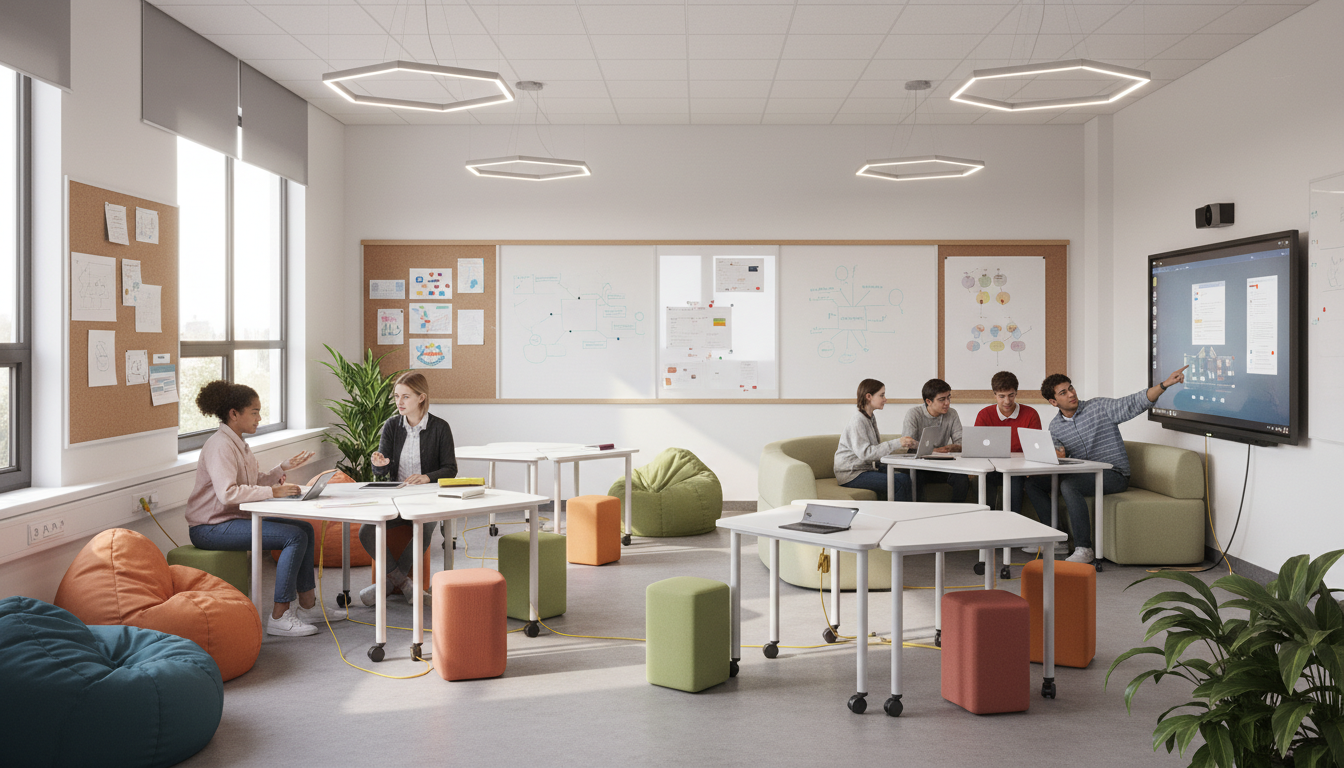
The modernization of educational environments has frequently been conflated with the mere acquisition of hardware. For the better part of two decades, school districts and universities have invested heavily in one-to-one computing initiatives, interactive whiteboards, and cloud-based learning management systems, operating under the tacit assumption that the introduction of digital tools would inevitably precipitate a transformation in instructional quality. However, a growing body of architectural and pedagogical research suggests that placing twenty-first-century technology into nineteenth-century physical environments often yields negligible improvements in learning outcomes. When a student is equipped with a high-performance tablet but remains confined to a rigid row of forward-facing desks, tethered to a perimeter wall outlet, and subjected to poor acoustic conditions that garble peer-to-peer communication, the physical environment actively inhibits the collaborative, inquiry-based learning that the technology is intended to facilitate.
This report posits that the physical design of the classroom—specifically the intricate interplay of seating ergonomics, electrical power infrastructure, line-of-sight visibility, acoustic engineering, and human circulation— constitutes the critical variable in the success or failure of technology-rich learning initiatives. We utilize the Pedagogy-Space-Technology (PST) Framework as our primary analytical lens. This framework, validated by large-scale institutional projects such as the Next Generation Learning Spaces (NGLS) and adopted by research-intensive universities globally, asserts that these three domains are mutually constitutive. They exist in a dynamic equilibrium; if one element is altered—such as the introduction of mobile devices—the other two elements, space and pedagogy, must adapt to maintain the system’s efficacy. A failure to adjust the physical space to accommodate the new technological reality results in “pedagogical friction,” where instructors must expend disproportionate energy overcoming the limitations of the room rather than facilitating learning.
The following analysis provides an exhaustive examination of the requirements for a technology-integrated learning environment. It transcends aesthetic considerations to focus on the granular engineering and ergonomic specifications required to support modern digital learning. We analyze the transition from the “sage on the stage” lecture hall to the Active Learning Classroom (ALC), examining successful archetypes such as the SCALE-UP (Student-Centered Active Learning Environment with Upside-down Pedagogies) model originating at North Carolina State University and the TEAL (Technology Enabled Active Learning) classrooms at MIT. We explore the specific dimensional requirements for aisle widths to support teacher circulation, the physics of reverberation in collaborative spaces, and the electrical engineering challenges of powering a high-density device environment without compromising safety or flexibility.
Theoretical Frameworks and Architectural Models
To design effective learning spaces, one must first understand the theoretical underpinnings that drive the need for change. The shift in classroom design is not merely a stylistic trend but a necessary response to a fundamental epistemological shift in how information is accessed, processed, and created in the digital age.
The PST Framework: Diagnosing Misalignment
The Pedagogy-Space-Technology (PST) Framework serves as the primary diagnostic and design tool for evaluating modern learning environments. Developed and refined through extensive post-occupancy evaluations, the PST framework argues that learning spaces are not neutral containers but active agents in the educational process.
- Pedagogy: This refers to the strategies and methods of teaching. Modern pedagogy has shifted decisively toward social constructivism, where knowledge is actively constructed through interaction, problem-solving, and peer teaching rather than passively absorbed from a single authority figure.
- Space: This encompasses the physical environment, including dimensions, furniture configuration, environmental quality (lighting, acoustics, temperature), and layout.
- Technology: This includes both the digital hardware (laptops, screens, simulation software) and analog tools (whiteboards, markers) used to facilitate learning.
In the PST model, alignment is crucial. For example, a “flipped classroom” pedagogy, where students consume lecture content independently and utilize class time for collaborative problem-solving, requires a space that physically facilitates group work. If the space consists of heavy, bolted-down lecture chairs arranged in tiered rows, the pedagogy is stifled regardless of the instructor’s intent or the sophistication of the technology. The PST framework provides a vocabulary for identifying these misalignments. When staff and students report improvements in interactivity and engagement, it is almost invariably because the “space” variable has been adjusted to afford communicative and problem-based tasks, such as through the introduction of pod-style seating or breakout zones.
The Evolution of Active Learning Archetypes
Several institutional models have established the benchmarks for technology-integrated classroom design. These models provide empirical data on what works in terms of layout, density, and technology integration.
The SCALE-UP Model (North Carolina State University)
Originating at North Carolina State University, the SCALE-UP model was explicitly designed to replace large-enrollment lecture classes with hands-on, interactive environments. The defining feature of the SCALE-UP classroom is its rejection of the row-and-column layout in favor of a “studio” approach.
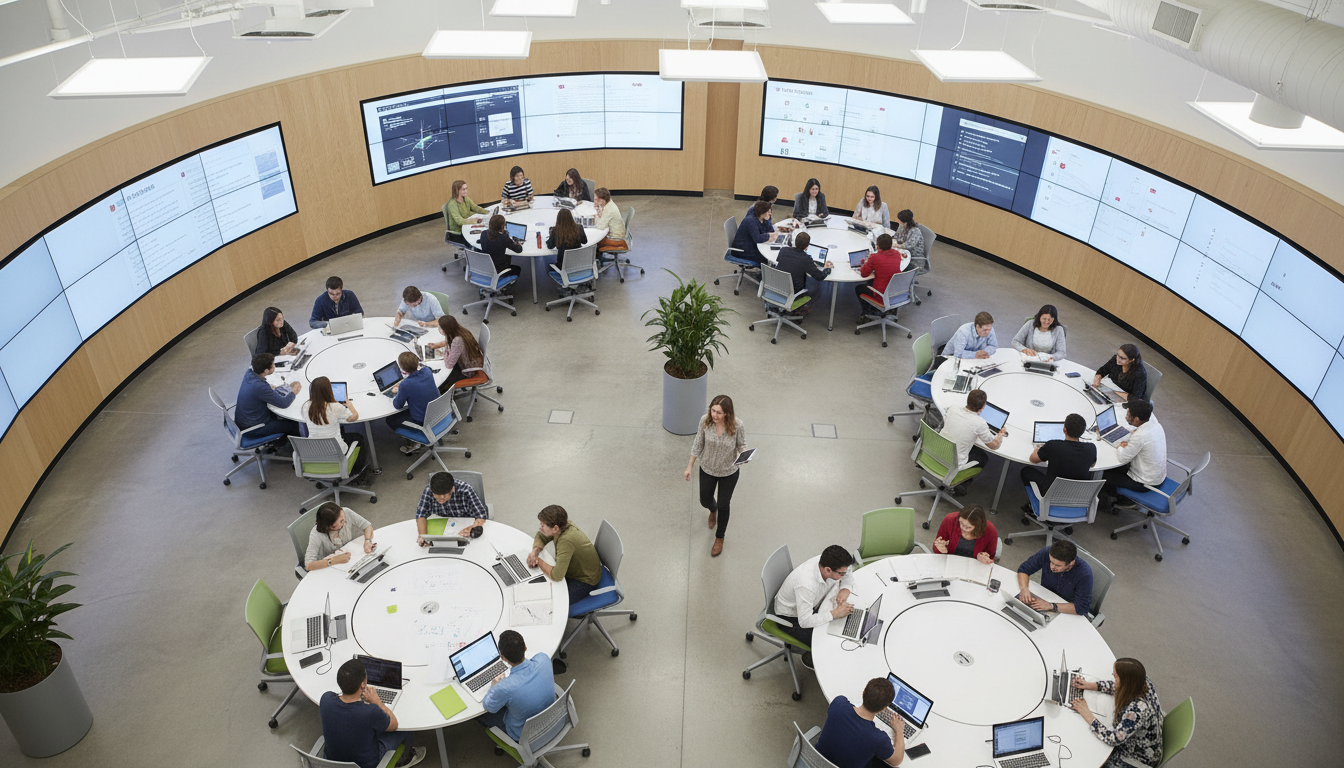
- The 7-Foot Round Table: The core unit of the SCALE-UP room is a large round table, typically 7 feet in diameter. This dimension is not arbitrary; it is calculated to comfortably seat nine students. These nine students are subdivided into three teams of three.
- Spatial Logic: The circular arrangement ensures that every student at the table has a direct line of sight to their teammates, fostering immediate collaboration. The 7-foot diameter provides sufficient surface area for three laptops (one per team) and shared analog workspaces, while maintaining a distance that allows for intimate conversation without shouting.
- Networked Collaboration: Each group of three typically shares a computer or connects their own devices to a local switching system, allowing them to project their work to a nearby monitor or to the room’s main displays. This “public thinking space” is critical for the “upside-down” pedagogy where student work drives the class discussion.
- Space Requirements: SCALE-UP rooms are space-intensive. While traditional lecture halls might allot 15-20 square feet per student, SCALE-UP and similar active learning models recommend 25-30 square feet per student to accommodate the large tables and the necessary circulation space for instructors to reach every group.
The TEAL Project (MIT)
The Massachusetts Institute of Technology adapted the SCALE-UP concept for its Technology Enabled Active Learning (TEAL) classrooms, specifically to reform introductory physics instruction (Courses 8.01 and 8.02).
- Teaching-in-the-Round: TEAL classrooms, such as the 3,000-square-foot spaces in Building 26 at MIT, feature a centralized instructor station surrounded by 13 round tables, each seating nine students. This layout eliminates the “back of the class,” a zone traditionally associated with disengagement and higher failure rates.
- Visual Ecology: The room is encircled by peripherals—typically eight to thirteen video projectors and whiteboards. This ensures that no matter where a student sits or faces, visual content is accessible. The integration of desktop experiments and data acquisition links directly to laptops allows for real-time simulation and visualization of electromagnetic phenomena, merging the lab and the lecture into a single “studio” experience.
- Outcomes: Longitudinal studies of the TEAL project have demonstrated significant improvements in students’ conceptual understanding of physics and a reduction in failure rates compared to traditional lecture-based instruction.
ALC and TILE Variations
The University of Minnesota’s Active Learning Classrooms (ALCs) and the University of Iowa’s TILE (Transform, Interact, Learn, Engage) spaces represent further iterations of this design philosophy. Minnesota’s research has been particularly influential, highlighting that students in ALCs outperformed predicted expectations based on ACT scores, suggesting that the room itself acts as an independent variable contributing to academic achievement. These rooms often feature “Group Share” configurations, where students sit at tables facing each other but can turn to see a central focal point, or “Tiered Pods” which adapt the concept for raked floors.
Seating and Furniture Ecosystems: The Platform for Interaction
In a technology-rich classroom, furniture ceases to be mere equipment and becomes infrastructure. It must support the devices students use, the postures they assume, and the rapid transitions between different modes of learning.
The Ergonomics of Active Learning
Traditional classroom furniture assumes a static, singular posture: facing forward, listening, and occasionally writing. Technology use, however, is dynamic.
Students hunch over tablets, lean back to view wall-mounted monitors, twist to discuss concepts with peers behind them, and stand up to manipulate physical models.
- Micro-movements: The physical environment must support “micro-movements”—rocking, swiveling, and adjusting height—to maintain blood flow and cognitive alertness during long blocks of collaborative work. Seating options like the Steelcase Node chair or wobble stools allow for this necessary physical engagement. The Node chair, for instance, includes a swivel seat on a mobile base with an integrated personal work surface, allowing a student to transition from independent work to group work in seconds without standing up or dragging furniture.
- The Swivel Imperative: In a room with multiple focal points (instructor, screen, peer, whiteboard), 360-degree swivel functionality is non-negotiable. It allows students to instantly reorient their attention from a group task to an instructor announcement without physically moving the chair base, which preserves aisle clearance and reduces the noise of scraping chair legs.
3.2 Table Geometry and Collaborative Dynamics
- The Power of the Round: As evidenced by SCALE-UP and TEAL, the 7-foot round table is the gold standard for larger groups (9 students). It democratizes the group interaction; there is no “head” of the table, and everyone is equidistant from the center. However, round tables are spatially inefficient and difficult to reconfigure for other purposes.
- Modular Geometries (Plectrum and Trapezoid): To address the rigidity of round tables, modern designs often employ plectrum (guitar pick shaped) or trapezoidal tables. These shapes are modular. Two trapezoids can form a hexagon for a group of six; separated, they serve as testing desks for individuals. This modularity is essential for K-12 environments or multi-purpose university classrooms where a single room must serve active learning physics in the morning and a traditional seminar in the afternoon.
- The Tiered Pod Solution: In lecture halls that cannot be flattened due to structural or budgetary constraints, the “tiered pod” layout offers a compromise. This involves placing two rows of tables on a single, deep tier. The front row of chairs is equipped with 180-degree swivels, allowing students to turn around and form a face-to-face group with the students in the row behind them. This “Turn and Talk” capability brings active learning into the lecture hall environment.
3.3 The “Pedagogy of the Castor”
A recurring theme in the research is the necessity of extreme mobility, often referred to as “The Pedagogy of the Castor.” This concept posits that the ability of a room to change state is directly proportional to the ease with which its furniture can be moved.
- Reconfiguration Threshold: If it takes more than 60 seconds to rearrange a room from lecture mode to group mode, instructors will likely default to the static arrangement. Therefore, furniture must be lightweight and mounted on high-quality castors.
- Stability vs. Mobility: While mobility is key, stability is required for typing and writing. Locking castors are standard, but newer “friction” based glides (which move when pushed but stay firm when weighted by a seated student) are gaining traction, particularly in K-12 settings where fidgeting can lead to unintentional room drift.
- Universal Design and Height Adjustability: Replacing standard tables with height-adjustable options is a critical component of universal design. Tables that can adjust from sitting to standing height (28″ to 42″) accommodate users of different statures and wheelchair users seamlessly. Furthermore, providing standing-height tables at the periphery allows students to stand while working, offering a variation in posture that can help maintain energy levels during long sessions.
3.4 Soft Seating and “Third Spaces”
Research into the “Collaboration Café” model and Steelcase’s educational insights suggests that effective active learning environments often mimic the casual atmosphere of coffee shops or startup lounges.
- Lounge Seating: High-back sofas and booth seating provide acoustic privacy and physical comfort for long-duration group projects. These pieces, often referred to as “third spaces” within the classroom, allow for informal, low-stakes collaboration that rigid desks can inhibit.
- Integration: These soft seating areas are not just for relaxation; they are often equipped with integrated power and tablet arms, making them fully functional workspaces for digital tasks.
3.5 Comparative Analysis of Furniture Types
| Furniture Type | Ideal Group Size | Mobility | Technology Integration | Primary Use Case |
|---|---|---|---|---|
| 7′ Round Table | 9 (3 teams of 3) | Low (Fixed) | High (Integrated cabling/monitors) | SCALE-UP, TEAL, High-density Active Learning |
| Node Chair | 1 (Individual) | High (Castors) | Medium (Tablet arm, personal storage) | Flexible classrooms, quick transitions |
| Trapezoid Table | 1-6 (Modular) | High (Castors) | Medium (Grommets, daisy chain) | K-12, Multi-use spaces |
| Plectrum Table | 3-6 | Medium | High (Central power hub) | Project-based learning, Design studios |
| Tiered Pods | 4-6 | Low (Fixed) | Medium (Shared power between rows) | Retrofitted Lecture Halls |
4. Power Infrastructure: The Nervous System of the Digital Classroom
Perhaps the single greatest engineering challenge in designing modern classrooms is the provision of power. When every student carries a device—often a laptop, a tablet, and a smartphone—and the pedagogy requires them to move freely about the room, the traditional “wall outlet” model fails catastrophically. A 1:1 computing ratio transforms the classroom into a high-density electrical load environment.
4.1 The Electrical Load Challenge
A typical active learning classroom of 30-40 students may house over 100 chargeable devices.
- Amperage Requirements: While modern devices are energy efficient, the aggregate load, particularly when devices are fast-charging simultaneously, requires robust circuit planning. A single 20-amp circuit is often insufficient for a fully loaded active learning room, especially if mobile charging carts for shared devices are also drawing power on the same loop.
- Safety and Liability: Running extension cords across aisles to reach wall outlets violates fire codes and creates severe trip hazards. This “spaghetti” of cables restricts movement, effectively canceling out the benefits of mobile furniture.
4.2 Infrastructure Solutions
Institutions typically choose from three primary tiers of power distribution strategies, ranging from high-cost fixed infrastructure to flexible mobile solutions.
4.2.1 Tier 1: Integrated Floor Grids (High Cost / High Permanence)
- Raised Access Floors: The most flexible but expensive solution. A raised floor system allows power boxes to be relocated anywhere in the room by simply moving a floor tile. This is common in high-end university computer labs and spaces like the TEAL classrooms but is often cost-prohibitive for K-12 or standard university retrofits due to the loss of ceiling height and high installation costs.
- Core Drilling (Monuments): This involves drilling into the concrete slab to install floor boxes (monuments) under specific table locations. While this provides high amperage and dedicated data connections, it locks the furniture layout in place. If the pedagogy changes in five years and the table layout needs to shift, the power monuments become obstacles.
4.2.2 Tier 2: Low-Profile Floor Tracks (Medium Cost / High Flexibility)
Newer technologies have revolutionized retrofit power distribution by eliminating the need for trenching.
- Steelcase Thread: The Thread system is a prime example of this tier. It utilizes an ultra-thin (3/16 inch height) power track that lays directly on the subfloor, underneath the carpet tiles. It connects to a standard wall infeed and runs out to low-profile “hubs” that can sit at standing height or floor level.
- Capacity and Specs: Thread systems typically handle up to 20 amps per circuit. A “dual circuit” track can support heavy usage environments. The system allows for a maximum of roughly 10 receptacles (hubs) per infeed to remain within code compliance.
- Advantage: The primary advantage is that it removes the need for core drilling. The track is effectively invisible under carpet, and the hubs can be moved or reconfigured with relative ease compared to hardwired monuments. It is also ADA compliant due to its negligible ramp profile.
4.2.3 Tier 3: Mobile Power and Batteries (Low Infrastructure / Max Flexibility)
For schools that cannot alter the building shell or drill into floors (e.g., historic buildings, temporary spaces), battery technology is the definitive answer.
- Power Towers: Devices like the Classroom Select Mobile Power Tower or OmniCharge stations act as portable battery banks. These units can be wheeled to a table group or checked out by students.
- Integrated Battery Systems: The Animate system by OE Electrics utilizes click-in battery modules (QIKPAC) that fit directly into the furniture. This allows a table to be completely cordless yet fully powered.
- Sustainability and Lifecycle: Modern lithium-ion systems used in these applications have significant longevity. Tests indicate lifespans exceeding 8 years (approx. 2,700 charge cycles) before capacity degrades significantly, making them a viable long-term capital investment rather than a consumable expense.
4.3 Integrated Furniture Power and Cable Management
Furniture manufacturers increasingly embed power distribution directly into tables to manage the “last mile” of cabling.
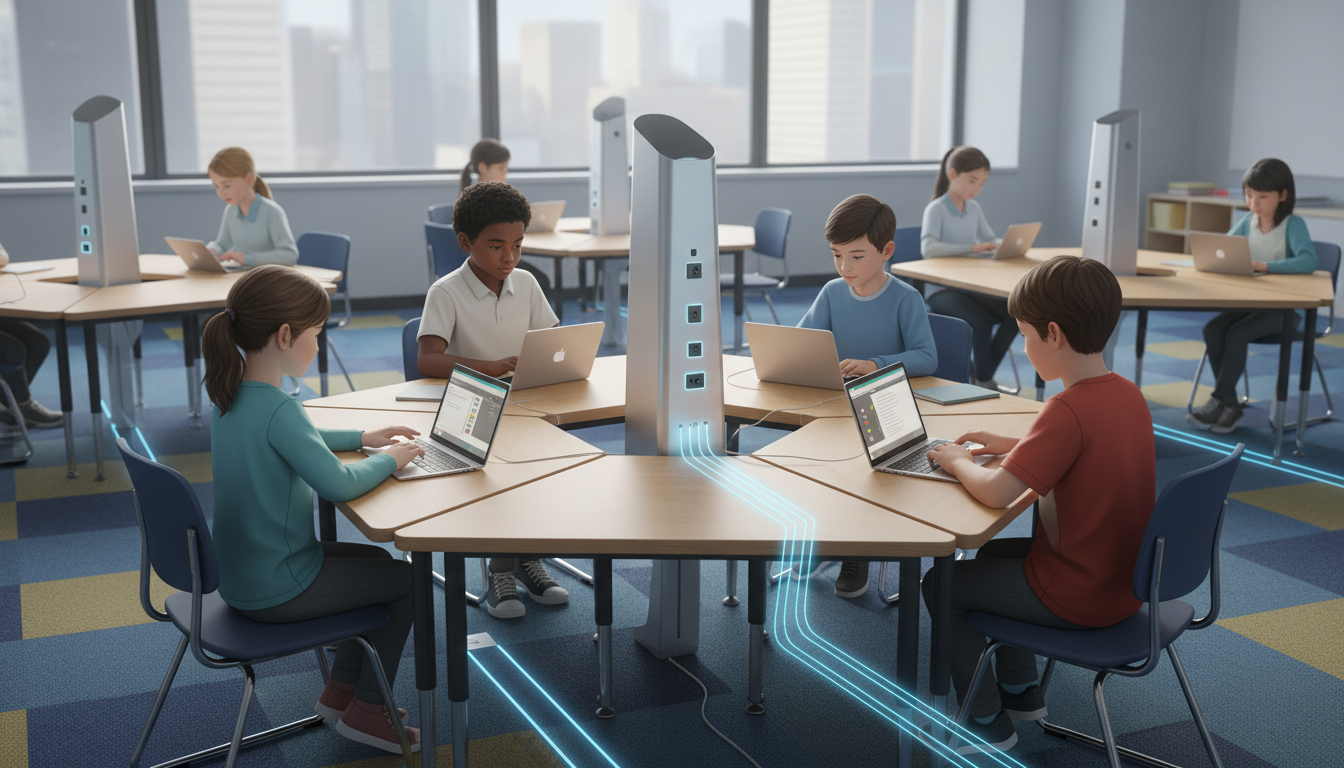
- Daisy Chaining: Tables like the Haworth Planes or KI MyPlace feature “daisy-chain” capabilities. One table plugs into a wall or floor box, and subsequent tables plug into the first.
Typically, up to 8 units can be linked on a single 15/20A circuit. This creates a powered “snake” of tables that requires only one building connection point.
- Cable Management: To prevent a mess of wires, these tables utilize integrated troughs and spines. Products like Vertebrae carrier wire managers or simple spine clips guide cables from the table surface to the floor, protecting them from damage and keeping the visual environment clean.
5. Acoustics: Designing for the Buzz of Learning
In a lecture-based model, silence is the goal, and the acoustic design focuses on projecting the instructor’s voice to the back of the room. In active learning, conversation is the medium of instruction. This creates an acoustic paradox: the room must support the generation of sound (collaboration) while preventing it from becoming noise (distraction).
5.1 The Physics of Collaborative Noise
- Reverberation Time (RT60): This metric measures the time it takes for a sound to decay by 60 decibels. Standard classrooms often have an RT60 of 0.6 to 1.0 seconds. For active learning environments, where speech intelligibility is paramount, the target is significantly lower: 0.4 to 0.6 seconds.
- The Lombard Effect: When reverberation is high, students unconsciously speak louder to be heard over the echo and background noise. This raises the overall noise floor, forcing other groups to speak even louder—a feedback loop known as the Lombard Effect or “Cocktail Party Effect”.
- Speech Intelligibility Index (SII): This measures how much of speech is actually understood by the listener. In many untreated classrooms, the SII can drop to 75%, meaning students miss every fourth word. For ESL students, students with auditory processing disorders, or those with hearing impairments, this loss of fidelity is disastrous for learning.
5.2 Acoustic Treatments and Zoning Strategies
Acoustic control is achieved through a strategic combination of absorption, diffusion, and masking.
5.2.1 Absorption Strategies
- Coverage Rule of Thumb: To effectively reduce flutter echo (sound bouncing between parallel hard surfaces) and lower RT60, approximately 15-25% of the wall surface area needs to be covered with sound-absorbing material.
- Placement Strategy:
- Ceilings: The ceiling is often the largest reflective surface. Installing “clouds” or vertical baffles is highly effective as they expose two sides of the absorptive material to the sound field. Treating the rear ceiling area is particularly critical to prevent sound from bouncing back toward the front of the room.
- Walls: Absorptive panels should be placed at “ear height” (covering both seated and standing ranges, roughly 3-6 feet AFF) to capture direct speech waves. Treating two adjacent walls is less effective than treating two opposing walls or staggering panels to prevent standing waves.
- Materiality and Durability: In multi-use spaces (such as gymatoriums) or active labs, standard foam panels are insufficient. Impact-resistant panels, such as fiberglass faced with rigid mesh (e.g., Primacoustic Hercules), are necessary to withstand errant projectiles and general wear.
5.2.2 Sound Masking (White/Pink Noise)
- The Concept: Adding sound to reduce distraction seems counterintuitive. However, a uniform background sound (sound masking) raises the ambient threshold just enough to mask distinct conversations from across the room, making them unintelligible and therefore easier to ignore.
- Application: In an ALC with five distinct groups, sound masking helps Group A focus on their work by ensuring that the conversation of Group B blends into the background rather than being distinct and distracting.
- Implementation: Emitters are typically placed in the plenum (above the drop ceiling) or directed downwards. The frequency spectrum must be tuned; “pink noise” (which has more energy at lower frequencies) is often perceived as more soothing and natural than “white noise” (which can sound hiss-like).
5.2.3 Flooring and Soft Surfaces
- Carpet: Carpet is essential for reducing “footfall noise,” which is significant in active rooms where students frequently move to whiteboards and screens.
- Upholstered Furniture: Utilizing soft seating or upholstered chairs acts as localized sound absorption, preventing sound from reflecting off hard plastic chair backs.
6. Visual Ecology: Seeing and Being Seen
Visibility in a technology-rich classroom is multidimensional. It involves the student’s line of sight to the instructor, the line of sight to digital content (screens), and the instructor’s line of sight to student work (monitoring).
6.1 The Challenge of Multiple Focal Points
In a traditional room, there is one front. In a SCALE-UP or TEAL room, the “front” is fluid. The instructor moves to the center; screens are distributed around the perimeter.
- Screen Density: Recommendations for ALCs suggest a high density of displays—often one screen per table or shared between two tables. The TEAL classroom at MIT uses eight projectors for 13 tables, ensuring that no student is ever more than a few degrees of rotation away from a visual display.
- Content Sharing: Systems like WolfVision, Mersive Solstice, or Barco ClickShare allow students to wirelessly “throw” their laptop screen to the local pod monitor or the main projector. This “democratization of the pixel” is central to inquiry-based learning, allowing student work to become the center of discussion instantly.
6.2 Lighting Design
Lighting must balance the need for reading/writing (high lux) with the need for screen viewing (contrast control).
- Zoning and Control: Lighting must be zoned to allow for different modes. The area near the projection screens should be dimmable independently of the table lighting. Advanced control systems like Lutron Vive or Palladiom keypads allow for preset scenes: “Presentation” (screens bright, room dim), “Collaboration” (all lights on), or “AV Mode” (front off, back on).
- Glare Reduction: Indirect lighting (bouncing light off the ceiling) helps reduce “hot spots” on glossy tablet screens. Windows must be equipped with blackout or 3% openness shades to control solar glare, which can render screens unreadable during certain times of day.
- Flicker-Free LED: With the rise of hybrid learning and video recording in classrooms, lighting must be high-CRI (>80) and flicker-free to prevent “strobing” effects on video feeds.
6.3 Teacher Visibility and “The Panopticon”
- Shoulder Surfing: Teachers need to be able to see student screens to check for understanding and ensure on-task behavior. This dictates furniture layout. Tables should be arranged so screens face inward or can be easily viewed from the main circulation paths.
- Digital Visibility: Classroom management software (e.g., Lightspeed, LanSchool) allows the teacher to view thumbnails of all student screens on their own device. This digital visibility supplements physical visibility, allowing the teacher to intervene digitally (“Please close that tab”) without a public confrontation.
- Traffic Light Systems: Managing the “flow” of questions in a chaotic active room is difficult. Digital or physical “traffic lights” on student desks (Red = working/do not disturb, Yellow = need help, Green = done) allow the teacher to scan the room and triage support efficiently, preventing the “hand-raising fatigue”.
7. Human Dynamics and Circulation: The Choreography of the Classroom
Static classrooms have narrow aisles because movement is rare. Active classrooms are high-traffic zones, akin to busy workspaces.
7.1 Circulation Dimensions and ADA Compliance
- The Instructor’s Orbit: The instructor in an ALC rarely sits; they orbit the room, moving from group to group. To allow an instructor to crouch next to a student while others pass by, aisles must be significantly wider than standard code minimums.
- Dimensional Recommendations: Major circulation paths (arteries) should be at least 60 inches (5 feet) wide. This dimension allows two people to pass comfortably or a wheelchair to turn 360 degrees. Minor paths between tables should be at least 36-48 inches to allow access without disrupting neighboring groups.
- Accessibility: In ALCs, every table must be accessible. The “dense pack” of traditional rows violates the spirit of inclusive design. Powered height-adjustable tables (like the Spectrum Freedom One eLift) allow wheelchair users to integrate seamlessly at any group, rather than being relegated to a designated “ADA table” at the fringe.
7.2 The Mobile Teacher Station
The traditional “teacher’s desk” is an anchor that tethers the instructor to the front of the room. To promote movement, this anchor must be cut loose.
- Lectern Design: Modern teacher stations are small, mobile, and often battery-powered or tethered by a single umbilical cord. They typically hold a laptop and perhaps a document camera.
- The “Green Room” Concept: Instructors still need a “home base” for personal items (bag, coffee), but it shouldn’t be the focal point of teaching. Some ALC designs relegate the teacher’s storage to a corner or use a small “satellite” podium in the center, freeing up the rest of the room for student ownership.
8. Implementation and Change Management
Designing the space is only the first step. The successful deployment of a technology-rich classroom requires a strategy for implementation and faculty support.
8.1 The Cost of Inaction
Continuing to install expensive technology in inadequate spaces is a poor use of capital. The “sunk cost” of existing furniture often deters renovation, but the efficiency loss in teaching—where 20 minutes of every hour is lost to transition times or technical troubleshooting—represents a far greater long-term cost.
8.2 Phased Approaches: “Low-Hanging Fruit” vs.
Deep Retrofit
Institutions do not always need to tear down walls to see benefits.
-
Immediate Interventions:
- De-front the room: Move the teacher’s desk to the side wall to break the lecture focal point.
- Buy Castors: Retrofit existing tables with wheels to enable basic mobility.
- Buy Batteries: Use mobile power towers to solve the charging crisis without hiring an electrician.
- Traffic Lights: Implement a simple visual signaling system for help.
-
Deep Retrofit:
- Grid Power: Install Thread systems or raised floors for ultimate flexibility.
- Acoustic Overhaul: Install ceiling clouds and wall panels to reach the 0.5s RT60 target.
- Lighting Control: Install zoned, dimmable LED systems with scene controllers.
Conclusion
The transition from a “teaching” space to a “learning” space requires a fundamental shift in architectural priorities. We must cease designing for the storage of students (rows) and begin designing for the activity of students (pods, movement, interaction).
The data is unequivocal: when the space supports the pedagogy, and the technology is seamlessly integrated into that space (power where you need it, sightlines that work, acoustics that allow for conversation), student engagement and conceptual understanding rise significantly. The classroom of the future is not defined solely by the sophistication of its computers, but by the sophistication of its layout, its acoustic engineering, and its power grid. It is a machine for learning, tuned to the frequency of human interaction.
For institutions embarking on this journey, the recommendation is clear: start with the furniture and power. If you change the tables to rounds or pods and provide mobile power, the pedagogy can follow. If you simply buy tablets but bolt the chairs to the floor, the investment will yield little return. Design for the behavior you want to see.