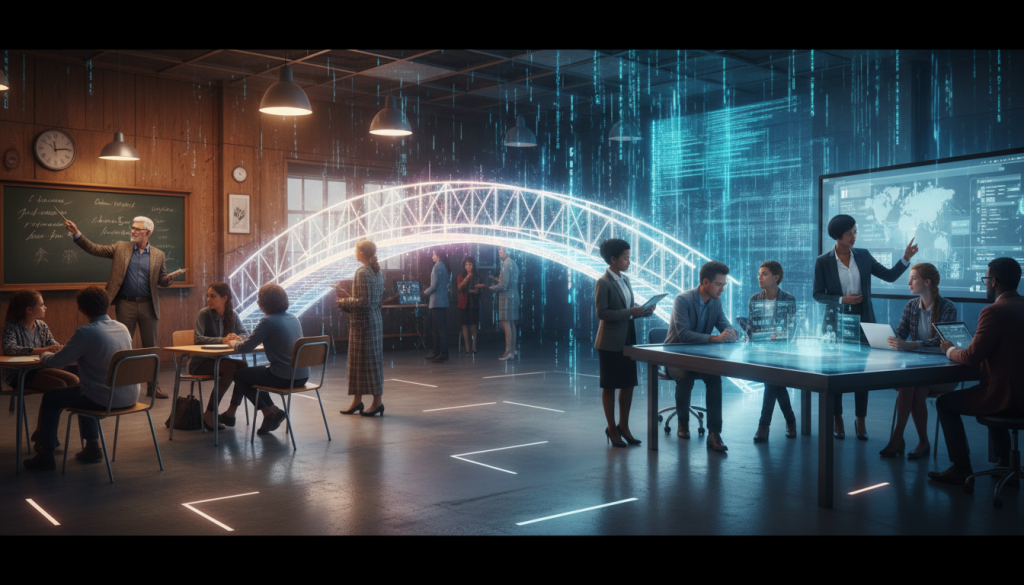
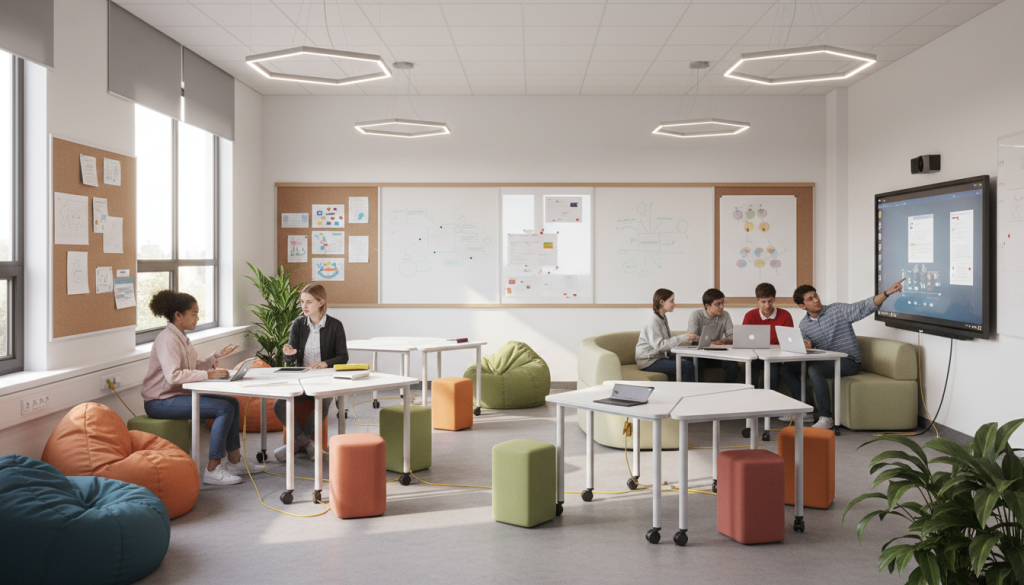
Frugal EdTech: Sovereignty in Resource-Constrained Classrooms
Chapter 1: The Context of Constraint and the Imperative for Local Authority
The global narrative surrounding educational technology has long been dominated by a deficit model, particularly when applied to the Global South and rural contexts within developed nations. This model posits that the primary barrier to educational equity is a lack of hardware—the “digital divide”—and that the solution lies in the rapid, often uncritical, deployment of devices and connectivity. However, a rigorous analysis of the last two decades of educational interventions reveals that the true divide is not merely infrastructural but deeply pedagogical and structural. In resource-constrained classrooms—characterized by shared devices, low or intermittent bandwidth, and unreliable electricity—the challenge is not simply to provide access, but to integrate technology in a way that builds local capacity, validates local knowledge, and fosters educational resilience.
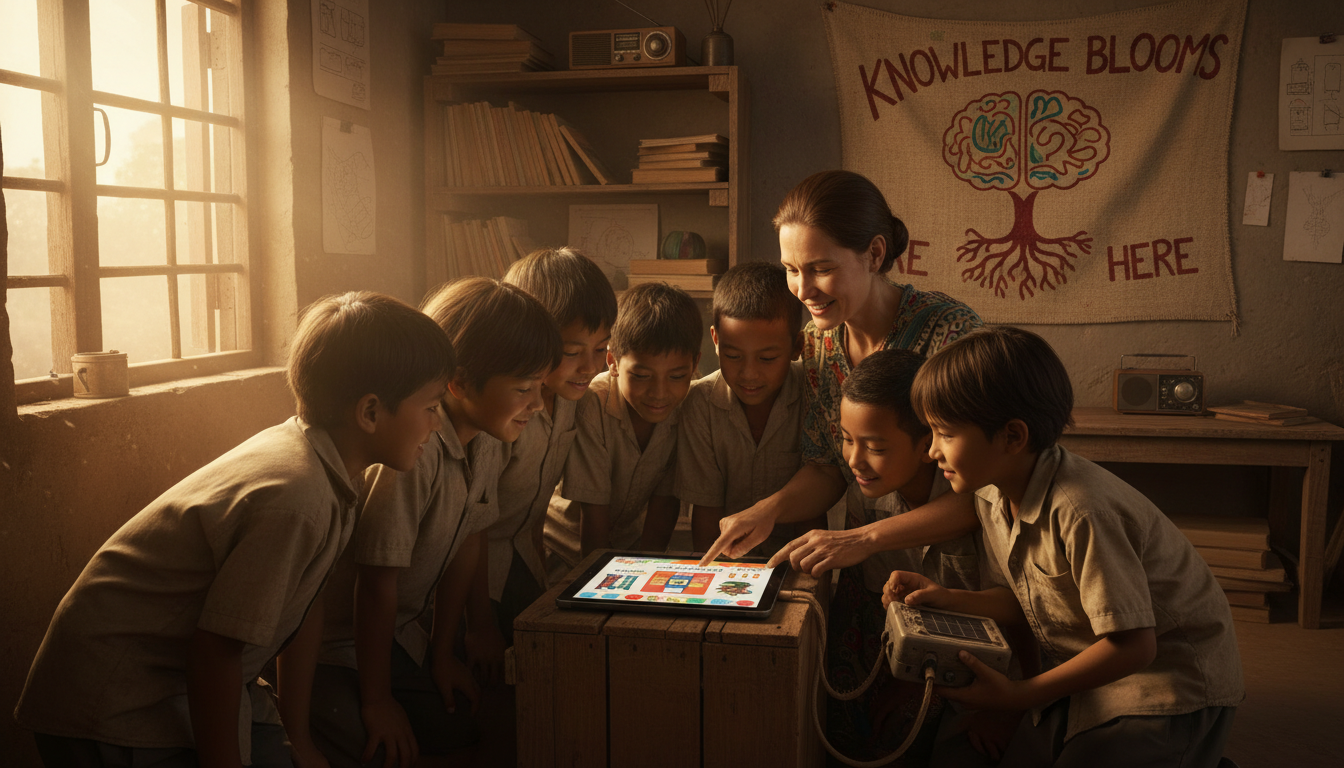
The premise of this report is that constraints, when approached through the lens of “frugal innovation” and inclusive design, can serve as catalysts for a more robust form of educational sovereignty. By shifting focus from “one laptop per child” to “effective pedagogy per classroom,” and by prioritizing offline-first architectures over cloud-dependent systems, schools can construct a “pedagogical infrastructure” that extends digital equity beyond mere access to tools. This approach emphasizes that effective technology use depends less on the ubiquity of devices and more on how well technology is integrated into instructional practices to support inquiry, collaboration, and student-centered learning.
1.1 The Shift from Access to Authority
The concept of “building authority locally” is central to this paradigm shift. In traditional models of technology transfer, developing nations are often treated as consumers of content and standards developed in the West. Curricula are imported, software is closed-source, and data resides on servers thousands of miles away. This dependency undermines local educational sovereignty. Conversely, the integration of offline-first tools like Kolibri, RACHEL, and Internet-in-a-Box (IIAB) allows local educators to curate, modify, and host content within their own communities.
When a teacher in a rural district curates a localized channel on a Kolibri server, aligning open educational resources (OER) with the national syllabus and adding locally produced video lessons in the vernacular, they are reclaiming authority over the educational process. This local authority is crucial for student engagement. Research indicates that learners grasp concepts faster and are more motivated when content is presented in their native language and reflects their cultural context. Thus, technology integration becomes a mechanism for cultural preservation and community empowerment, rather than a vector for cultural homogenization.
1.2 The Economic and Social Imperative
The urgency of this integration is underscored by the shifting economic landscape. The global “hiring crisis” in education, coupled with the increasing demand for digital literacy in the workforce, necessitates that students in resource-constrained environments acquire 21st-century skills. However, the “digital divide” extends beyond access to the internet; it encompasses the disparity in how technology is used. While students in affluent schools may use technology for creative production and critical inquiry, students in low-resource settings often use it for passive drill-and-practice.
To bridge this gap, instructional design must focus on cultivating “expert learners” who are resourceful, strategic, and motivated, regardless of the hardware available. This involves teaching students not just how to use a specific app, but how to navigate information, collaborate with peers, and solve complex problems—skills that are transferable and resilient to technological change. The goal is to prepare students for a tech-savvy future by developing soft skills like empathy and collaboration, which are essential for navigating digital spaces ethically and responsibly.
1.3 Defining the Resource-Constrained Classroom
For the purposes of this report, a “resource-constrained classroom” is defined by several key characteristics that distinguish it from the “technology-rich” environments often assumed in EdTech literature:
- High Student-to-Device Ratio: Instead of the 1:1 model common in the Global North, these classrooms often operate with ratios of 1:5, 1:10, or even 1:50 (one device for the teacher). This necessitates pedagogical models based on rotation and collaboration rather than individual instruction.
- Intermittent Connectivity: Internet access is often slow, expensive, or entirely absent. Schools may have “connectivity gaps” where the network is down for days, or “bandwidth droughts” where speeds are insufficient for streaming. This reality mandates an “offline-first” architecture where the internet is treated as a luxury, not a utility.
- Infrastructural Precarity: Power cuts, load shedding, and lack of climate control for server rooms are common. Hardware must be durable, low-power, and capable of running on battery or solar backup.
- Limited Technical Support: Teachers often serve as the de facto IT support. Systems must be “plug-and-play” and resilient to user error.
Chapter 2: Theoretical Frameworks for Integration in Low-Resource Contexts
To understand how to effectively integrate technology in these environments, we must move beyond simple adoption models and engage with theoretical frameworks that account for the complex interplay of pedagogy, content, and context.
2.1 TPACK as a Contextual Model
The Technological Pedagogical Content Knowledge (TPACK) framework is widely used to describe the knowledge teachers need to integrate technology effectively. It identifies the intersection of Content Knowledge (CK), Pedagogical Knowledge (PK), and Technological Knowledge (TK) as the sweet spot for effective teaching.
However, in resource-constrained environments, a fourth domain becomes critical: Contextual Knowledge (XK).
Contextual Knowledge refers to the teacher’s understanding of the specific constraints and affordances of their environment. A teacher might have excellent technological knowledge of cloud-based collaborative tools, but if they lack the contextual knowledge that their school has a bandwidth cap of 1GB per month, their lesson plan will fail. In developing countries, effective integration involves an understanding of the relationships between all three forms of knowledge within the specific teaching context. This means that professional development must not just teach “how to use tablets,” but “how to use tablets when you only have five of them and the power might go out.”
Researchers Mishra and Koehler, who popularized TPACK, emphasize that technology is not a neutral add-on but an element that changes the constraints and affordances of the classroom. In a low-resource setting, the “constraint” of having few devices can be reframed as an “affordance” for social learning, forcing students to communicate and collaborate in ways that 1:1 environments might not.
2.2 The SAMR Model and the Ladder of Integration
The SAMR model (Substitution, Augmentation, Modification, Redefinition) provides a hierarchy of technology use.
- Substitution: Technology acts as a direct tool substitute with no functional change (e.g., typing an essay instead of writing it).
- Augmentation: Technology acts as a direct tool substitute with functional improvement (e.g., typing with spell check).
- Modification: Technology allows for significant task redesign (e.g., collaborative writing in real-time).
- Redefinition: Technology allows for the creation of new tasks, previously inconceivable (e.g., video conferencing with a classroom in another country).
In resource-constrained classrooms, there is a temptation to stay at the “Substitution” level—using a projector simply to display a textbook page. However, the goal of “building authority” and “growing capacity” requires moving towards Modification and Redefinition. Even with a single computer, a teacher can reach “Redefinition” by connecting the class to a global expert via a sporadic internet connection, or by having students use the device to create a digital community archive. The focus should be on how the technology transforms the learning, not just the delivery.
2.3 Socio-Cultural Learning Theories
Vygotsky’s theories of social learning are particularly relevant to the shared-device classroom. The concept of the Zone of Proximal Development (ZPD) suggests that learning occurs best when students work together to solve problems that are slightly beyond their individual capabilities. The shared device becomes a mediator of this social interaction. When three students crowd around a single tablet to solve a math problem in Kolibri, they are engaging in “socially shared regulation of learning,” where they negotiate meaning, correct each other’s misconceptions, and build a collective understanding.
This contrasts with the often isolating nature of 1:1 learning, where students interact primarily with the screen. In the shared-device model, the screen is a campfire around which the social practice of learning takes place. This aligns with findings from the “Hole in the Wall” experiments and other ICT4D (Information and Communication Technologies for Development) research, which suggest that children in developing contexts often learn best through “minimally invasive education” and peer collaboration.
Chapter 3: The Offline-First Architecture
The cornerstone of resilient technology integration in the Global South is the Offline-First Architecture.
This approach fundamentally rejects the Silicon Valley assumption of ubiquitous connectivity. Instead, it posits that the educational ecosystem must be fully functional without an internet connection, with the internet serving only as an intermittent value-add for synchronization and updates.
3.1 The Mechanics of Local Caching and Content Serving
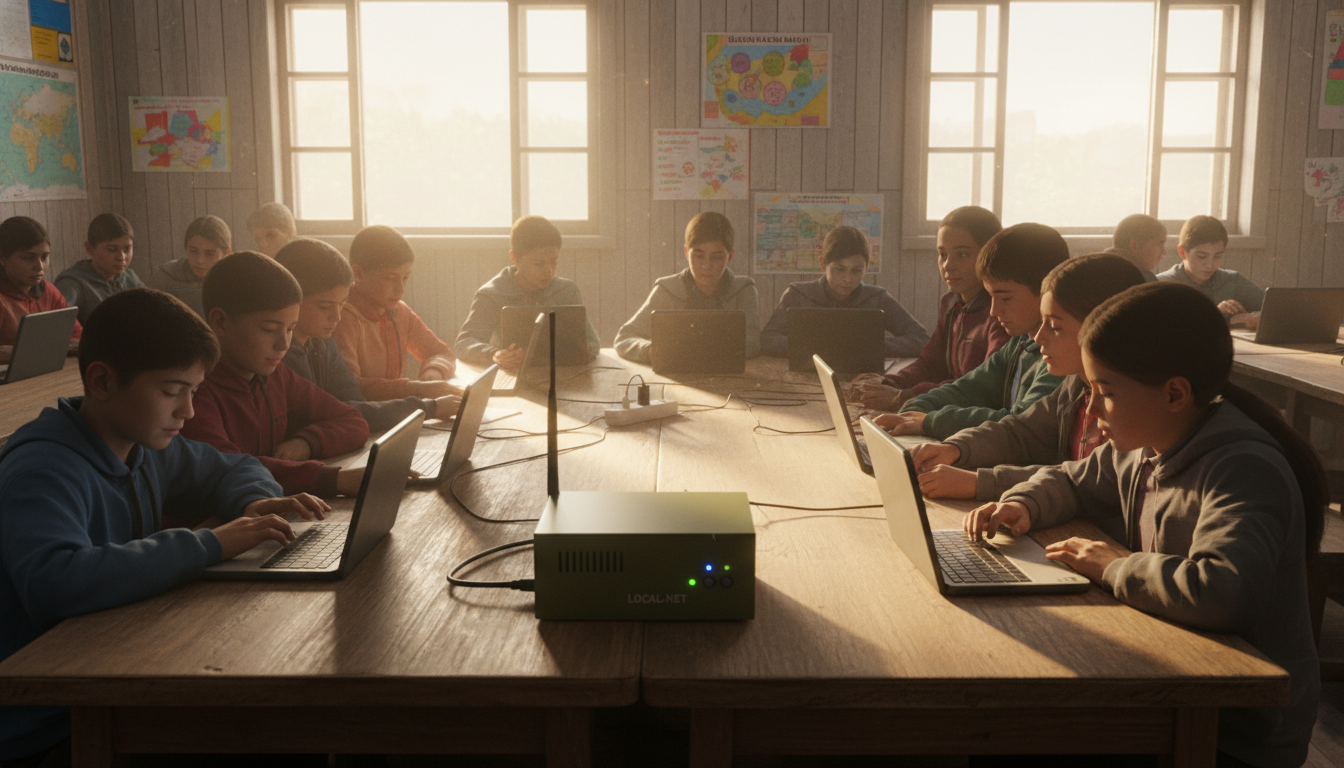
In an offline-first model, a local device acts as the server (the “edge” of the network). This device stores the entire curriculum—video libraries, interactive exercises, textbooks, and the Learning Management System (LMS) database. It broadcasts a local Wi-Fi signal (a Local Area Network or LAN) that client devices—student tablets, laptops, or smartphones—connect to.
Data synchronization occurs opportunistically. When the local server is transported to an area with connectivity, or when a USB dongle with internet data is inserted, the system syncs student progress data to a central cloud server and downloads new content. This “store-and-forward” mechanism ensures that decision-makers at the district or national level can still monitor educational outcomes without requiring real-time data streams.
3.2 Kolibri: An Ecosystem for Equality
Kolibri, developed by the non-profit Learning Equality, represents the state-of-the-art in offline-first educational platforms. It is designed specifically to run on low-cost, legacy hardware and to serve content to unconnected devices.
- Platform Architecture: Kolibri is headless software that can run on Windows, Linux, or macOS. Once installed, it operates in the background, serving a browser-based interface to any device on the local network. This means a student with a ten-year-old Android phone can access a fully interactive, responsive LMS simply by connecting to the classroom Wi-Fi.
- Content Pipeline: The platform includes “Kolibri Studio,” a cloud-based curation tool. Curriculum designers can aggregate content from open libraries (Khan Academy, PhET, CK-12) and organize it to match the local national curriculum. This curated “channel” is then exported to a proprietary database format that is highly compressed and optimized for transfer via USB drives.
- Peer-to-Peer Distribution: A critical feature for scalability is Kolibri’s ability to sync peer-to-peer. A teacher with a laptop can visit a district hub, sync the latest content channel, and then return to their village. There, they can sync that content to other local devices over the LAN, creating a “human internet” distribution network.
3.3 RACHEL: The Digital Library of the Offline World
RACHEL (Remote Area Community Hotspot for Education and Learning) takes a slightly different approach, focusing on providing a massive repository of static content.
- The Appliance Model: While RACHEL can be installed on generic hardware, it is often sold as a pre-configured device (RACHEL-Plus) that includes a battery, a 500GB-1TB hard drive, and a ruggedized casing. This “appliance” model reduces the technical burden on teachers; they simply press the power button, and the library is live.
- Content Ecosystem: RACHEL modules include offline versions of Wikipedia, Project Gutenberg, Hesperian Health Guides, and Khan Academy Lite. Unlike Kolibri, which focuses on tracked learning paths and exercises, RACHEL acts more like a traditional library, encouraging open exploration and research.
- Local Content Integration: RACHEL allows for the uploading of local content modules. Teachers can create simple HTML websites or folders of PDFs and upload them to the device, making them instantly available to students. This feature is vital for “building local authority,” as it allows the server to host the community’s own stories, history, and lesson plans alongside global knowledge.
3.4 Internet-in-a-Box (IIAB): The Maker Solution
Internet-in-a-Box (IIAB) is a community-driven project that transforms a Raspberry Pi into a digital library. It is arguably the most flexible and cost-effective solution for those willing to engage in some technical configuration.
- Versatility: IIAB can run a wide variety of educational software stacks simultaneously, including Moodle, WordPress, Nextcloud, and Kolibri. This allows a school to have a full LMS (Moodle), a school website (WordPress), and a file sharing system (Nextcloud) all running on a single $50 computer.
- The “Sneakernet” Update: IIAB is designed to be updated via “sneakernet”—the physical transport of storage media. A teacher can bring a USB stick with new Wikipedia dumps or Kiwix files, insert it into the Pi, and the system will ingest the new content.
3.5 Moodle Offline: Extending the LMS
For institutions that require formal grading, assessment tracking, and course structure, Moodle is the standard. While traditionally a server-heavy application, Moodle has been optimized for low-resource environments.
- Moodle App: The official Moodle App supports offline offline learning. Students can download entire courses (quizzes, SCORM packages, books) while connected to the school server, go home to an offline environment, complete the work, and sync back when they return. This effectively extends the “digital classroom” into the student’s disconnected home.
- Server Optimization: Running Moodle on low-spec hardware (e.g., a Raspberry Pi or an old desktop) requires tuning the database (MariaDB/MySQL) and web server (Nginx/Apache) to minimize memory usage. With proper configuration, a device with 2GB of RAM can serve 20-30 concurrent users.
Chapter 4: Hardware Realities and Frugal Innovation
The choice of hardware in resource-constrained environments is dictated by the principles of “frugal innovation”: durability, repairability, energy efficiency, and low cost.
4.1 The Raspberry Pi as a Classroom Server
The Raspberry Pi (specifically the Model 4 or 5) has revolutionized the possibilities for offline education.
- Cost-Effectiveness: A complete Raspberry Pi 4 setup (board, case, power supply, SD card) costs between $100 and $150. This is a fraction of the cost of a traditional tower server, which can run upwards of $3,000.
- Energy Efficiency: A Raspberry Pi consumes approximately 3-5 watts of power. It can be run for an entire day on a standard 20,000mAh USB power bank or a small solar panel setup. This is critical in regions with frequent load shedding.
- Durability: With no moving parts (fanless cases are available) and solid-state storage (MicroSD or SSD), the Pi is resistant to the dust and heat that plague computer labs in developing regions.
4.2 Client Devices: Tablets vs. Laptops vs. Smartphones
The “client” device is what the student touches. In a shared-device environment, the choice of client impacts pedagogy.
- Tablets (Android): Low-cost Android tablets ($80-$100) are the most common choice due to their touch interface (intuitive for younger learners) and battery life. However, they are less ideal for typing-heavy tasks like coding or essay writing.
- Refurbished Laptops: Older laptops running lightweight Linux distributions (e.g., Lubuntu, Endless OS) are excellent for secondary education where keyboarding skills and programming are part of the curriculum. They often have replaceable batteries and parts, supporting a local repair economy.
- BYOD (Bring Your Own Device): In some contexts, older students or their parents may own smartphones. Schools can leverage this by allowing these devices to connect to the offline school server. This “BYOD” model shifts the cost of the client device to the community, allowing the school to invest more in the server and content.
4.3 Power and Infrastructure
Reliable power is often a greater challenge than reliable hardware.
- Solar Solutions: Integrated solar solutions, such as the “SolarSPELL” or custom solar-charged battery banks, are essential for off-grid schools. These systems often combine the server and the charging station into a single unit.
- Local Caching of Power: Just as the server caches data, battery banks cache power. Charging stations must be designed to charge devices when grid power is available (often at night) so they are ready for the school day.
Chapter 5: Pedagogical Strategies for Shared Devices
The “One-Device Classroom” or “Shared-Device Classroom” requires a fundamental rethinking of classroom management and instructional flow. The scarcity of devices transforms them from personal tools into communal resources.
5.1 The Station Rotation Model
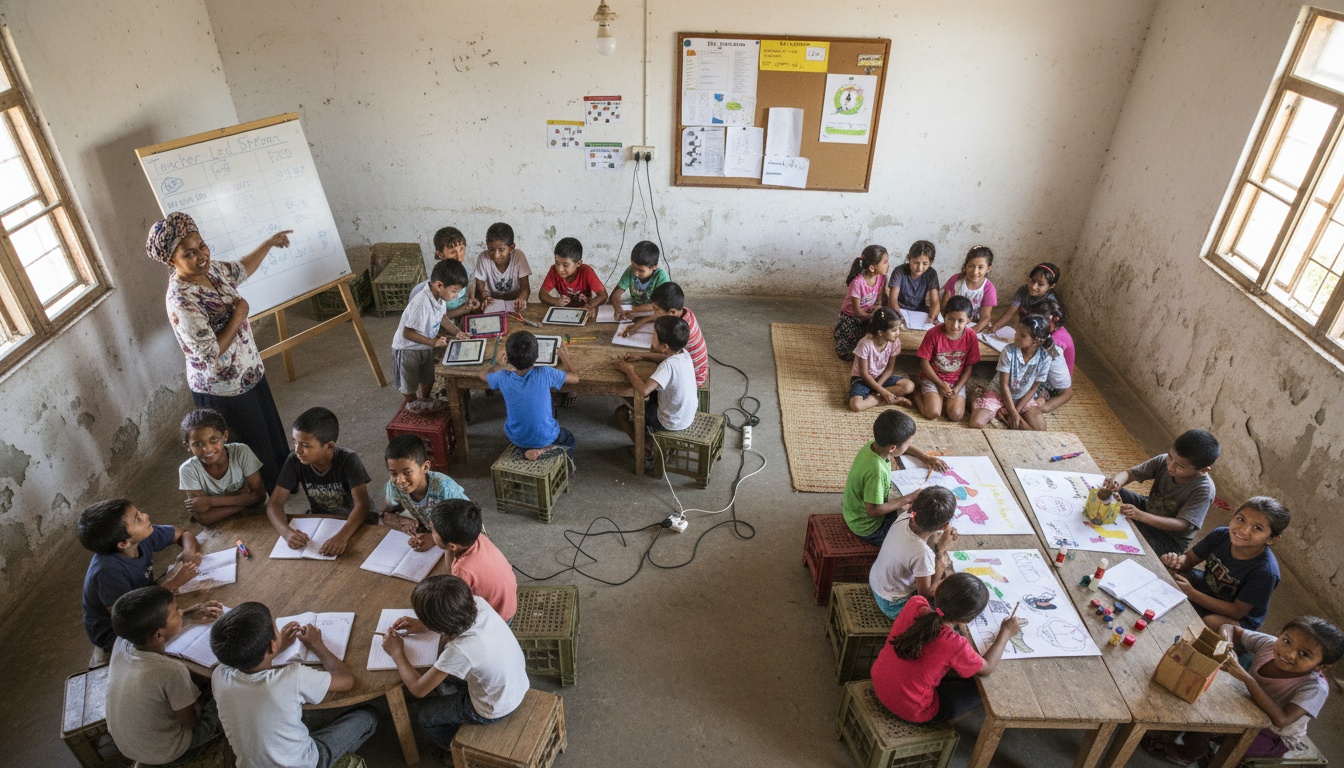
The Station Rotation model is the most robust pedagogical framework for integrating limited technology. It allows a class of 40-50 students to be effectively served by a small number of devices (e.g., 5-10 tablets).
Implementation Mechanics:
- Grouping: The class is divided into three or four groups.
- Rotation: Every 15-20 minutes, groups rotate to a new station.
- The Stations:
- Teacher-Led Station: The teacher provides direct instruction to a small group. This allows for differentiation and targeted remediation, which is often impossible in a whole-class lecture.
- Online/Digital Station: Students use the devices to engage with adaptive software (Kolibri, KA Lite). Because the software tracks progress, students can work at their own pace.
- Offline/Collaborative Station: Students work on paper-based tasks, manipulatives, or group projects. This station reinforces the concepts being learned at the other stations.
Pedagogical Benefit: This model maximizes the “active learning” time for each student. Instead of one teacher trying to lecture to 50 students (where many may be lost or bored), the teacher interacts closely with 10-12 students at a time, while the others are engaged in self-directed or peer-supported learning.
5.2 Collaborative Learning Structures
When students are at the digital station, they often have to share devices (e.g., 1 tablet per 3 students).
To prevent passivity, teachers must structure the interaction.
Role-Based Collaboration:
- The Driver: Controls the device (mouse/touchscreen).
- The Navigator: Reads the instructions and guides the driver.
- The Recorder: Notes down key information or results in a physical notebook.
- The Critic/Checker: Verifies the answer before the driver submits it.
- Rotation: Roles must switch periodically (e.g., every 5 minutes or every level completed) to ensuring equitable access to the technology.
Think-Pair-Share-Compute:
An adaptation of the classic strategy.
- Think: Teacher poses a question.
- Pair: Students discuss potential answers.
- Share: Students share their hypothesis.
- Compute: Only then do they go to the device to test their hypothesis or find the answer. This ensures the device is used for verification and exploration, not just guessing.
5.3 Gamification and Team-Based Learning
Scarcity can be gamified. Tools like simple offline quizzes or “Jeopardy-style” games projected on a screen can turn the entire class into teams.
- Speed Quizzes: Using a single device, the teacher can run a quiz where teams of students must discuss the answer and hold up a card or run to the board. The device acts as the “game show host,” validating answers and keeping score.
- Puzzle Pieces: Each group uses the device to solve one part of a larger class puzzle or research project. They must then come together to assemble the final product, fostering a sense of collective efficacy.
Chapter 6: The One-Device Classroom: Mechanisms and Methods
In the most extreme constraint—a classroom with only one computer (usually the teacher’s)—pedagogy must shift from “individual interaction” to “collective projection.”
6.1 Projector-Based Pedagogy
A digital projector is the single most high-impact hardware investment for a one-computer classroom. It transforms a personal screen into a public learning space.
- Interactive Simulations (PhET): The teacher projects a science simulation (e.g., building a circuit). The class acts as the “collective scientist,” hypothesizing what will happen if a variable is changed. The teacher manipulates the simulation based on student instructions. This keeps the whole class cognitively engaged even if they aren’t physically touching the mouse.
- Whole-Class Editing: The teacher projects a student’s (anonymous) paragraph. The class works together to improve the grammar, vocabulary, and structure. The teacher makes the changes in real-time, modeling the revision process. This is often more effective than individual feedback.
- Virtual Field Trips: Using offline maps or cached videos, the teacher takes the class on a guided tour of a historical site. Students take notes and ask questions as if they were physically present.
6.2 The “Student Driver” Technique
To shift authority to the students, the teacher should frequently step away from the computer.
- The Hot Seat: A student is invited to the computer to “drive” the lesson. They navigate the slides, type in class answers, or manipulate the simulation. This elevates the student’s status and alters the power dynamic in the room.
- Rotation: Different students are called up for different tasks—one to find a file, one to type a sentence, one to solve a math problem. This ensures that over the course of a week, every student has touched the technology.
6.3 Paper-Digital Hybrid Workflows
In a one-device classroom, the output often remains analog.
- Digital Prompt, Analog Response: The computer displays a complex image, a video prompt, or a data set. Students respond in their notebooks, drawing diagrams, writing essays, or calculating answers.
- Digitization of Analog Work: The teacher uses the device’s camera (or a document camera) to take a picture of exemplary student work and projects it for the class to critique and admire. This validates student production and makes it public.
Chapter 7: Inclusive Design in Low-Resource Settings
Technology integration must not exacerbate existing inequalities. Inclusive design in low-resource settings focuses on Universal Design for Learning (UDL) and low-tech assistive technologies.
7.1 Universal Design for Learning (UDL)
UDL posits that learning environments should be designed to accommodate the widest possible range of learners. In a low-tech classroom, this means providing multiple means of representation, engagement, and expression.
- Multiple Representations: If a textbook is the primary resource, the teacher can use the single classroom computer to provide an audio version (Text-to-Speech) or a video summary for students with reading difficulties.
- Multiple Means of Action: Students should be allowed to demonstrate understanding in various ways—writing a report, drawing a diagram, recording an audio response on the teacher’s phone, or building a physical model.
7.2 Low-Tech Assistive Technologies for Visual Impairment
For visually impaired students in developing nations, high-tech Braille displays are often unaffordable. However, frugal innovation offers alternatives.
- Smartphone Accessibility: Most Android and iOS devices come with built-in screen readers (TalkBack, VoiceOver) and magnification gestures. A low-cost smartphone can function as a powerful assistive tool, allowing a blind student to listen to digital textbooks or a low-vision student to magnify the blackboard using the camera.
- Tactile Graphics: Teachers can create tactile maps and diagrams using locally available materials like glue guns, string, sand, and seeds glued to cardboard. These “low-tech” solutions are highly effective for teaching geometry and geography to blind students.
- High-Contrast Materials: Designing handouts and digital slides with high contrast (black text on white or yellow background) and large sans-serif fonts aids students with low vision. Avoiding cluttered layouts is essential.
7.3 Cognitive and Neurodiverse Accommodations
For students with ADHD or learning disabilities, the structure of the “Station Rotation” model is inherently beneficial. The frequent movement and change of task help sustain attention.
- Digital Timers: Using the classroom projector to display a visual countdown timer helps students with executive function challenges manage their time and transitions.
- Clear, Predictable Routines: Establishing strict routines for device usage (e.g., “Wash hands before touching tablets,” “Rotate clockwise”) reduces anxiety and cognitive load, allowing students to focus on learning.
Chapter 8: Content Curation, OER, and Local Authority
The true power of offline servers lies in their ability to host Open Educational Resources (OER). This shifts the school from a model of scarcity (where textbooks are rare) to a model of abundance (where thousands of books and videos are available digitally).
8.1 The Strategic Role of OER
OERs are learning materials that are free to use, adapt, and share. They are the fuel for the offline-first engine.
- TESSA (Teacher Education in Sub-Saharan Africa): TESSA provides a bank of OERs designed to support active learning pedagogy in African schools. These resources are modular and can be adapted to local contexts.
- TESS-India: Similarly, TESS-India offers OERs in multiple Indian languages, mapped to the Indian curriculum. These resources are critical because they are not just “content” but “pedagogical models,” showing teachers how to teach difficult concepts.
8.2 Building Authority Through Localization
“Building authority locally” means that local educators are the final arbiters of the curriculum. Offline servers like Kolibri and RACHEL facilitate this through content modification.
- Curriculum Alignment: Using Kolibri Studio, a district curriculum team can take a Khan Academy math channel, remove the videos that use American imperial units (inches/feet), and replace them with locally created videos using metric units. This aligns the digital tool with the national exam, making it relevant and authoritative.
- Language Adaptation: If a PhET simulation is in English, local teachers can create a “guide sheet” in the local language, or record a voiceover explanation to accompany it. This adaptation process validates the local language as a medium of scientific discourse.
- Local Content Creation: Schools can use the server to host student-created content—digital stories, local history projects, and community interviews. This transforms the server into a “community archive,” preserving local knowledge and culture.
Chapter 9: Professional Development and Capacity Building
Providing hardware and software is useless without building human capacity. Professional Development (PD) in low-resource contexts must be continuous, school-based, and focused on pedagogy.
9.1 The “Micro-Innovation” Approach
Large-scale, one-off training workshops are often ineffective. A better model is to support “micro-innovations” by local teachers.
- Teacher Champions: Identify “early adopter” teachers who are enthusiastic about technology. Train them intensively, and then have them mentor their peers. This peer-to-peer model is more sustainable and culturally appropriate than external experts.
- Communities of Practice: Encourage teachers to form small groups (within a school or via WhatsApp/SMS) to share tips, lesson plans, and troubleshooting advice.
These informal networks are vital for sustaining motivation.
Developing “Contextualized” TPACK
Teacher training should focus on the TPACK framework, but with a heavy emphasis on the “Context”.
- Scenario-Based Training: Instead of just teaching “how to use Moodle,” training should present scenarios: “How do you teach this biology lesson using Moodle if the internet is down and you only have 5 tablets?” This trains teachers to be resilient and adaptive.
- UNESCO Competency Framework: The UNESCO ICT Competency Framework for Teachers provides a roadmap for progression. Teachers should be guided from “Technology Literacy” (basic use) to “Knowledge Deepening” (using tech for complex problem solving) and finally “Knowledge Creation” (creating new resources).
Chapter 10: Global Case Studies and Regional Analysis
Real-world implementations provide the evidence base for these strategies.
Nepal: OLE Nepal and the Geography of Access
Nepal presents an extreme case of geographic constraint.
- The Model: OLE Nepal implemented an an offline-first model using low-power laptops (XO) and a local server (E-Pustakalaya).
- Success Factor: The crucial success factor was the close alignment with the government’s Department of Education. By ensuring that the digital content matched the national curriculum, they gained the trust of teachers and parents. The “digital library” was not seen as a distraction, but as a textbook replacement.
- Policy Challenges: Recent moves by the Nepali government towards “digital authoritarianism” (e.g., banning TikTok, controlling social media) highlight the fragility of the open internet. In this context, offline-first autonomous servers become not just educational tools, but instruments of intellectual freedom.
India: Scaling with DIKSHA and Smart Labs
India faces the challenge of massive scale.
- DIKSHA: The government’s DIKSHA platform uses QR codes in physical textbooks to link to digital content. This “phygital” (physical + digital) approach bridges the gap, allowing students with a smartphone to instantly access relevant videos. The platform supports offline caching, recognizing the reality of rural connectivity.
- Smart ICT Labs: In many Indian states, the “rotation model” is institutionalized. Tablets are kept in a charging cart and moved between classrooms. This frugal innovation allows a single set of hardware to serve hundreds of students.
Sub-Saharan Africa: TESSA and Mobile Learning
- TESSA’s Impact: TESSA demonstrated that OERs could transform teacher practice at scale. By providing high-quality, adaptable resources, they empowered teacher educators to move away from rote lecturing towards active learning. The availability of these resources in offline formats (print, SD cards) was essential for their adoption in rural areas.
- Mobile Learning: In regions with high mobile penetration but low PC penetration, the focus has shifted to mobile-first delivery. Tools like the Moodle App and WhatsApp-based learning communities utilize the hardware that teachers already own.
Chapter 11: Future Trends and Strategic Recommendations
The Job Market for Low-Tech Specialists
There is an emerging and critical job market for “ICT4D Educational Specialists.” These are professionals who understand both the technical constraints of rural environments and the pedagogical needs of learners.
- Skill Set: These specialists need skills in Linux administration (for Raspberry Pis), networking (for local mesh networks), instructional design (for OER adaptation), and community engagement.
- Demand: International NGOs, government ministries, and CSR (Corporate Social Responsibility) initiatives are increasingly seeking individuals who can design sustainable, low-tech solutions rather than just buying expensive hardware.
Strategic Recommendations for Growth
- Prioritize Content Over Hardware: Do not buy devices until you have a plan for the content they will deliver. Invest in curating high-quality, localized OERs.
- Adopt the Station Rotation Model: Make this the standard operating procedure for any school with less than a 1:1 ratio. Train teachers specifically in managing this rotation.
- Institutionalize Offline-First: mandate that all critical educational software must work without an internet connection. Treat the internet as a bonus, not a requirement.
- Invest in “Human Middleware”: The most important node in the network is the teacher. Invest in their professional development, their “contextual TPACK,” and their ability to troubleshoot basic technical issues.
Conclusion
The path to digital equity in resource-constrained classrooms does not lie in mimicking the resource-heavy models of the developed world. It lies in a “sovereign” approach that builds local authority, leverages frugal innovation, and places pedagogy at the center. By designing for the “one-device” reality, embracing offline-first architectures, and rigorously applying inclusive design principles, developing nations can leapfrog the mistakes of the West and build educational systems that are resilient, equitable, and profoundly empowering.
Detailed Artifacts and Implementation Data
Artifact A: Comparative Technical Analysis of Offline Servers
| Feature | Kolibri (Learning Equality) | RACHEL (World Possible) | Internet-in-a-Box (IIAB) | Moodle Offline |
|---|---|---|---|---|
| Primary Function | Adaptive Learning Platform | Digital Library / Repository | Multi-Service Hub | LMS (Grading/Assignments) |
| Content Model | Structured Channels (Exercises, Video) | Static Modules (Wikipedia, Books) | Flexible (User Uploads + Modules) | Courses (SCORM, Quizzes) |
| Hardware Reqs | Low (Raspberry Pi 3+, Win/Lin/Mac) | Medium (RACHEL-Plus is custom hw) | Low (Raspberry Pi, Old PC) | Medium-High (Database intensive) |
| User Tracking | Detailed Analytics (Individual) | Minimal / None (Anonymous) | Varies by app installed | Full Gradebook & Tracking |
| Content Curation | Kolibri Studio (Cloud-based tool) | Manual HTML/PHP modules | Drag-and-drop USB / Admin Panel | Moodle Course Builder |
| Best For… | K-12 Curriculum Alignment, Math/Sci | Reference, Research, General Knowledge | Maker/DIY, Multi-function needs | Higher Ed, Formal Testing |
| Sync Capability | Peer-to-Peer & Cloud Sync | Manual Updates (USB/Download) | Sneakernet (USB) | Mobile App Sync |
Artifact B: Inclusive Design Matrix for Low-Resource Classrooms
| Disability / Need | Low-Tech / No-Tech Strategy | Frugal Tech Strategy (Offline) |
|---|---|---|
| Visual Impairment (Blind) | Tactile Graphics (Glue gun, string on card), Real objects for manipulatives. | Smartphone Screen Reader (TalkBack), Audio-only content on server. |
| Low Vision | Large Print Handouts (Arial 14pt+), High Contrast (Yellow on Black chalk), Seating at front. | Digital Magnification (Phone camera), High-contrast mode on tablets. |
| Hearing Impairment | Written instructions, Visual cues/signals, Peer note-takers. | Captioned Videos (SRT files on Kolibri), Visual simulations (PhET). |
| Motor / Physical | Adapted grip for pencils (tape), Scribes for writing tasks. | Touchscreen (easier than mouse), Voice Control (smartphone). |
| Neurodiverse (ADHD/ASD) | Predictable Routines, Visual Schedules, “Fidget” objects, Quiet corner. | Gamified Learning (immediate feedback), Digital Timers, Noise-canceling headphones. |
| Language Learner | Picture dictionaries, TPR (Total Physical Response). | Local Language Dubbing, Video playback speed control (0.75x). |
Artifact C: Budget for a “Smart ICT Lab” (500 Student School)
Assumption: 1 Lab serves the whole school via rotation.
| Item | Specification | Quantity | Unit Cost | Total | Rationale |
|---|---|---|---|---|---|
| Server | Raspberry Pi 4 (8GB), Case, Fan, Power | 1 | $120 | $120 | Handles 30 concurrent users. |
| Storage | 1TB External SSD (USB 3.0) | 1 | $80 | $80 | Fast read speeds for video serving. |
| Networking | Enterprise-grade Access Point (e.g., Ubiquiti) | 1 | $150 | $150 | Critical for stable connections for 40 devices. |
| Tablets | 8″ Android Tablet (2GB RAM min) | 40 | $100 | $4,000 | 1:1 for a single class, 1:12 for school. |
| Charging | DIY Charging Cabinet + Power Strips | 1 | $150 | $150 | Secure storage + charging. |
| Display | High-Lumen Projector (3000+ Lumens) | 1 | $500 | $500 | Shared viewing for whole-class instruction. |
| Sound | PC Speakers (Active) | 1 | $50 | $50 | Audio for video lessons. |
| Content | Human Labor (Teachers) | – | – | – | Curation of OER. |
| Total | $5,050 | ~$10/student | |||
Artifact D: Sample Lesson Plan – “One-Device” Geometry
Subject: Mathematics (Properties of Triangles) | Grade: 7 | Duration: 45 mins
Tech: 1 Teacher Laptop + Projector + Geogebra (Offline)
- 00-05 min (Hook): Teacher projects images of bridges (truss structures) found in the local area. Question: “Why are triangles used here?” (Think-Pair-Share).
- 05-15 min (Interactive Demo): Teacher opens Geogebra. Projects a triangle.
- Activity: “Student Driver” comes up. Teacher asks class: “What happens to the angles if we drag this corner up?”
- Prediction: Students write prediction in notebooks.
- Action: Student driver drags the point.
- Verification: Class observes the change in angle values.
- 15-30 min (Collaborative Inquiry):
- Task: Students in groups of 4. Each group is given 3 strips of paper (different lengths). They must try to form a triangle.
- Integration: One group comes up to the computer to input their lengths into a “Triangle Inequality” checker simulation.”
Result is projected.
- 30-40 min (Assessment):
- Teacher displays 5 triangles with missing angles on the screen.
- Students solve in notebooks.
- Teacher reveals answers on the next slide.
- 40-45 min (Reflection): Exit Ticket: “Write one rule about triangles you discovered today.”
This lesson uses the technology for visualization and verification, while the bulk of the cognitive work happens through social interaction and analog manipulation.